Think4ever Designer
Think4ever Designer is the platform’s visual architecture and intent-driven design environment, created to bridge the gap between business requirements, system architecture, and production code. It enables system architects, software engineers, business analysts, and quality assurance teams to model, review, and validate complex software workflows before or alongside code execution.
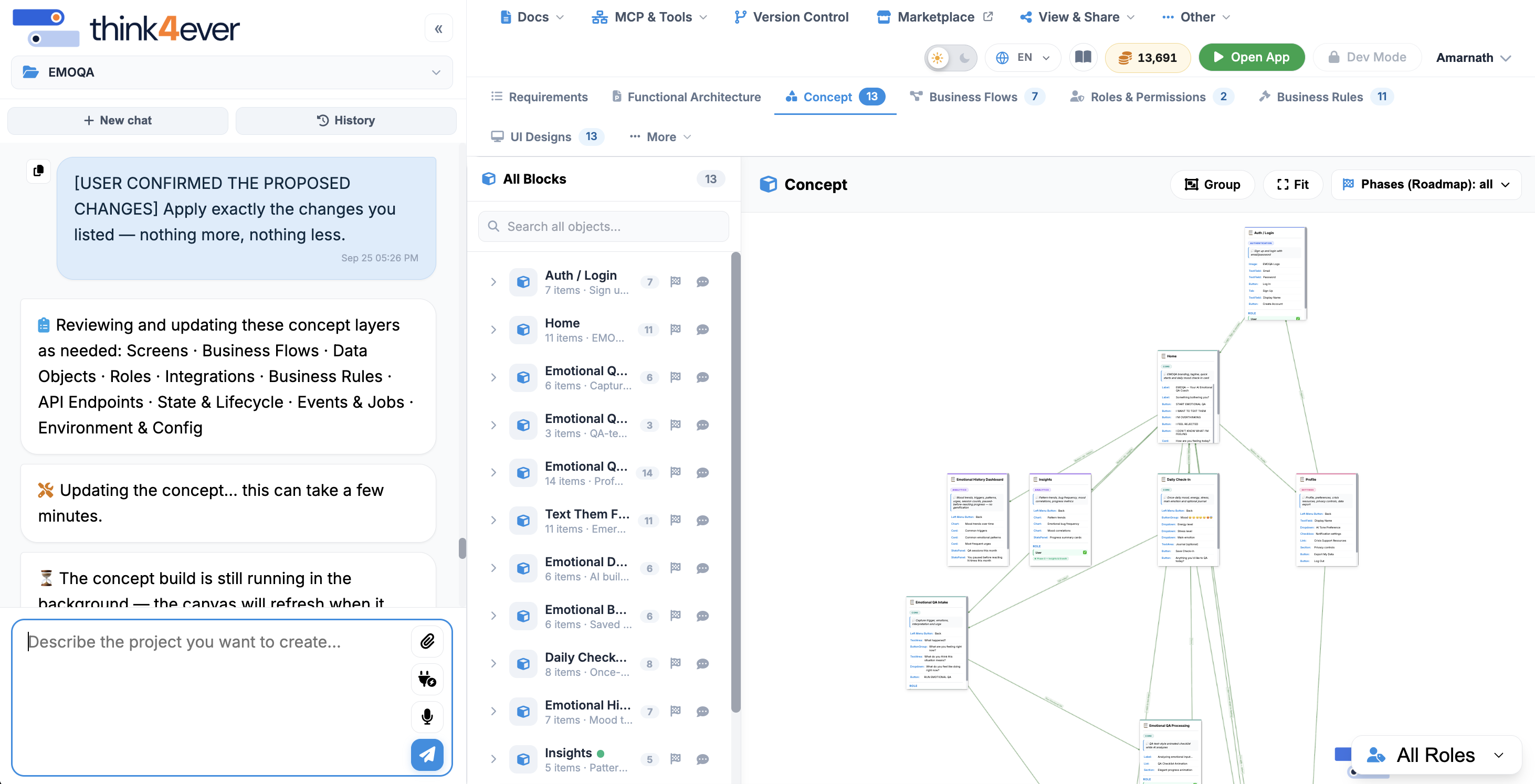
Design, create, and bring your ideas to life with AI.
Think4Ever Designer Mode helps you turn ideas, concepts, and requirements into polished designs faster and more efficiently. Whether you’re creating a website, app interface, marketing material, presentation, or other digital content, Designer Mode provides AI-powered tools to help transform your vision into a visual output.
What You Can Do
- Create Designs – Generate designs from simple descriptions or ideas.
- Explore Concepts – Turn your requirements into visual concepts and layouts.
- Refine & Improve – Modify, enhance, and iterate designs based on your needs.
- Save Time – Reduce manual design work with AI-assisted creation.
- Bring Ideas to Life – Transform concepts into ready-to-review visual designs.
Key Features
- Intent-Driven Architecture: Model system behavior directly from business rules, workflows, and acceptance criteria to ensure technical implementations remain faithful to business intent.
- Bidirectional Code-to-Design Mapping: Automatically synchronize visual system maps with underlying codebases, eliminating documentation drift and architectural blind spots.
- Reviewable System Maps: Transform complex application logic into clear, interactive visual diagrams that cross-functional teams can audit and discuss.
- Pre-Execution Validation: Enforce compliance, security, and operational guidelines at the design phase before code is deployed or executed.
- Software Architects & Engineers: To design resilient systems, model refactoring paths, and maintain precise control over codebase evolution.
- Business & QA Analysts: To inspect system logic, verify that acceptance criteria align with implementation, and audit workflow integrity.
- Engineering Leadership: To gain immediate visibility into application structure, dependencies, and production readiness without digging through raw code.
Some of the key features of Think4ever Designer:
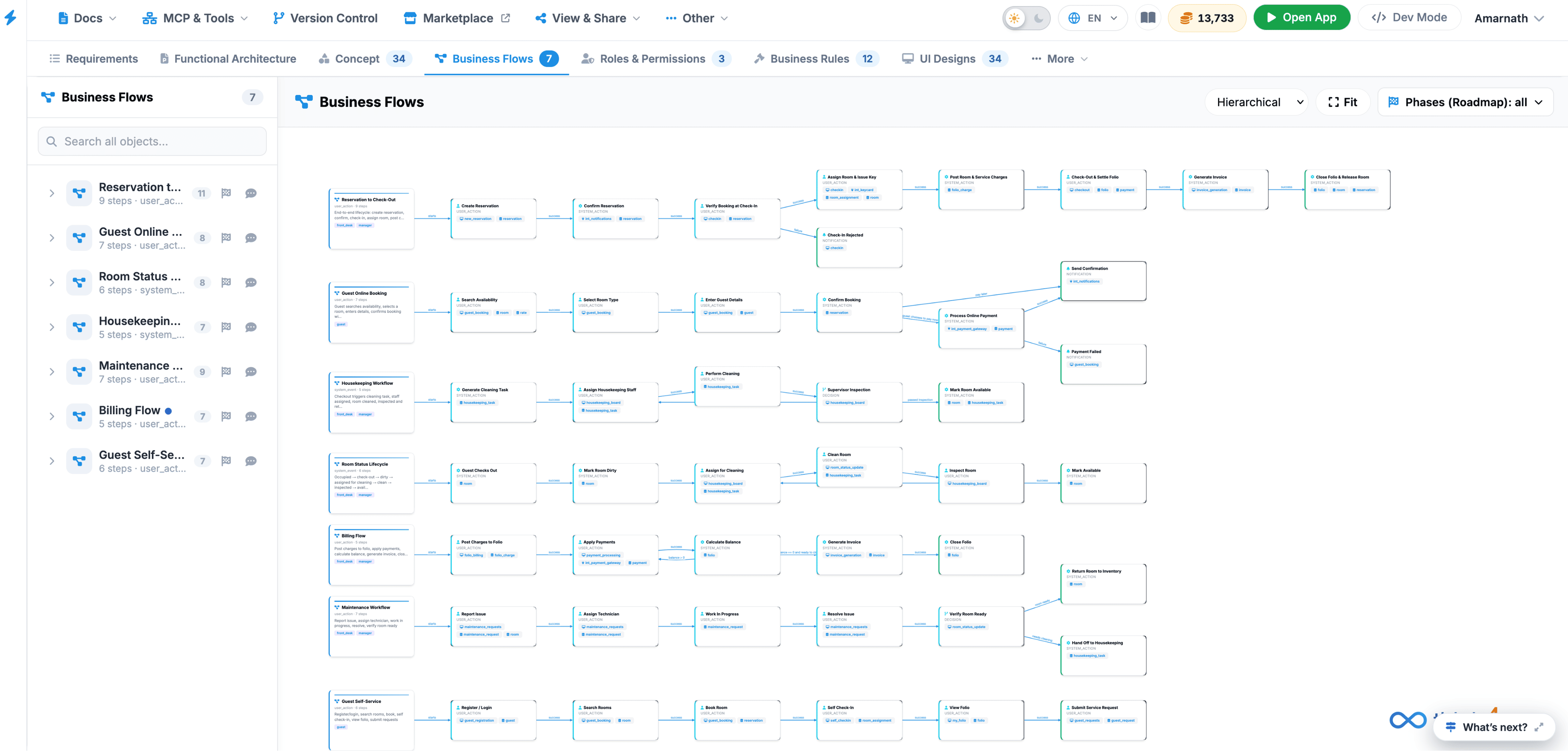
Business Flows
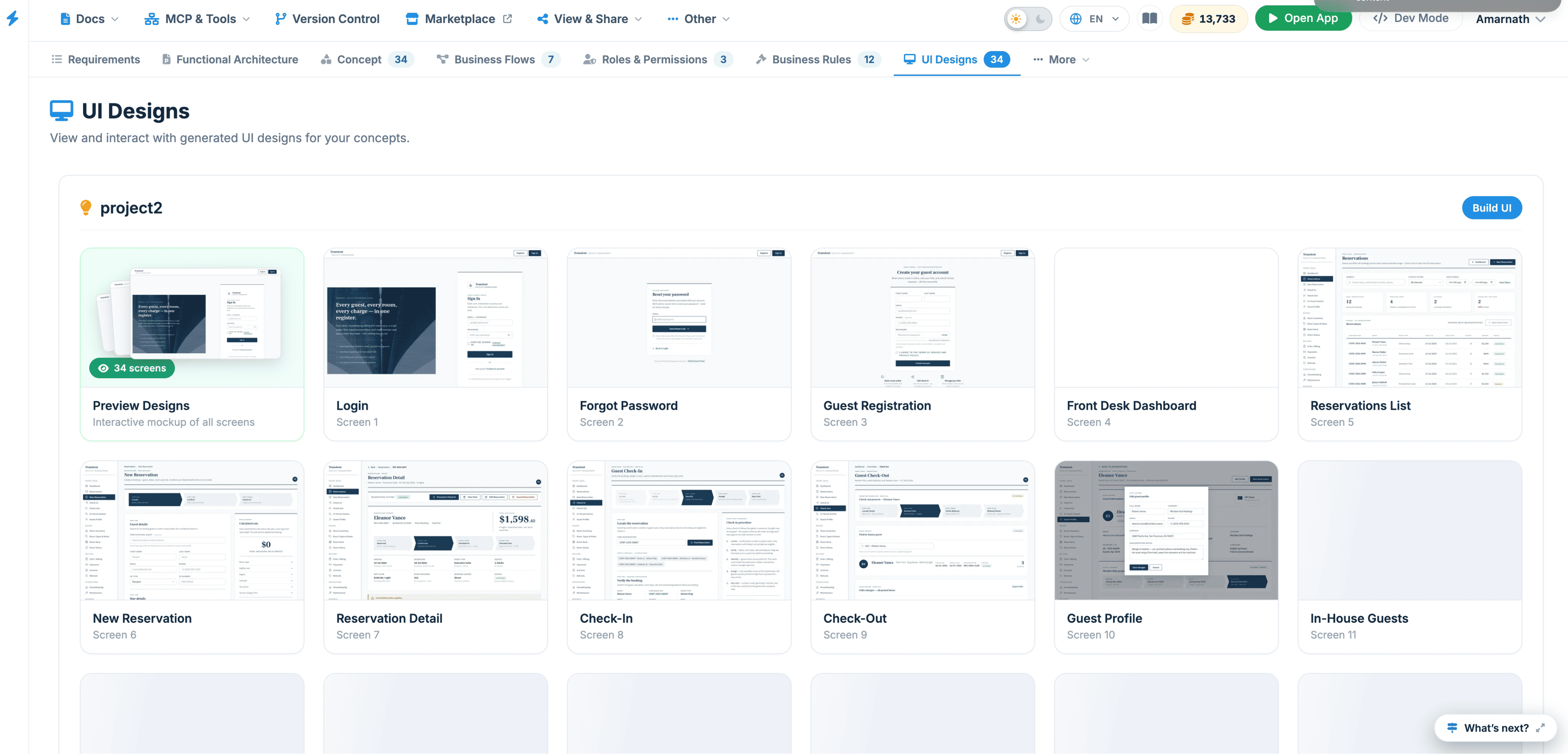
UI Designs
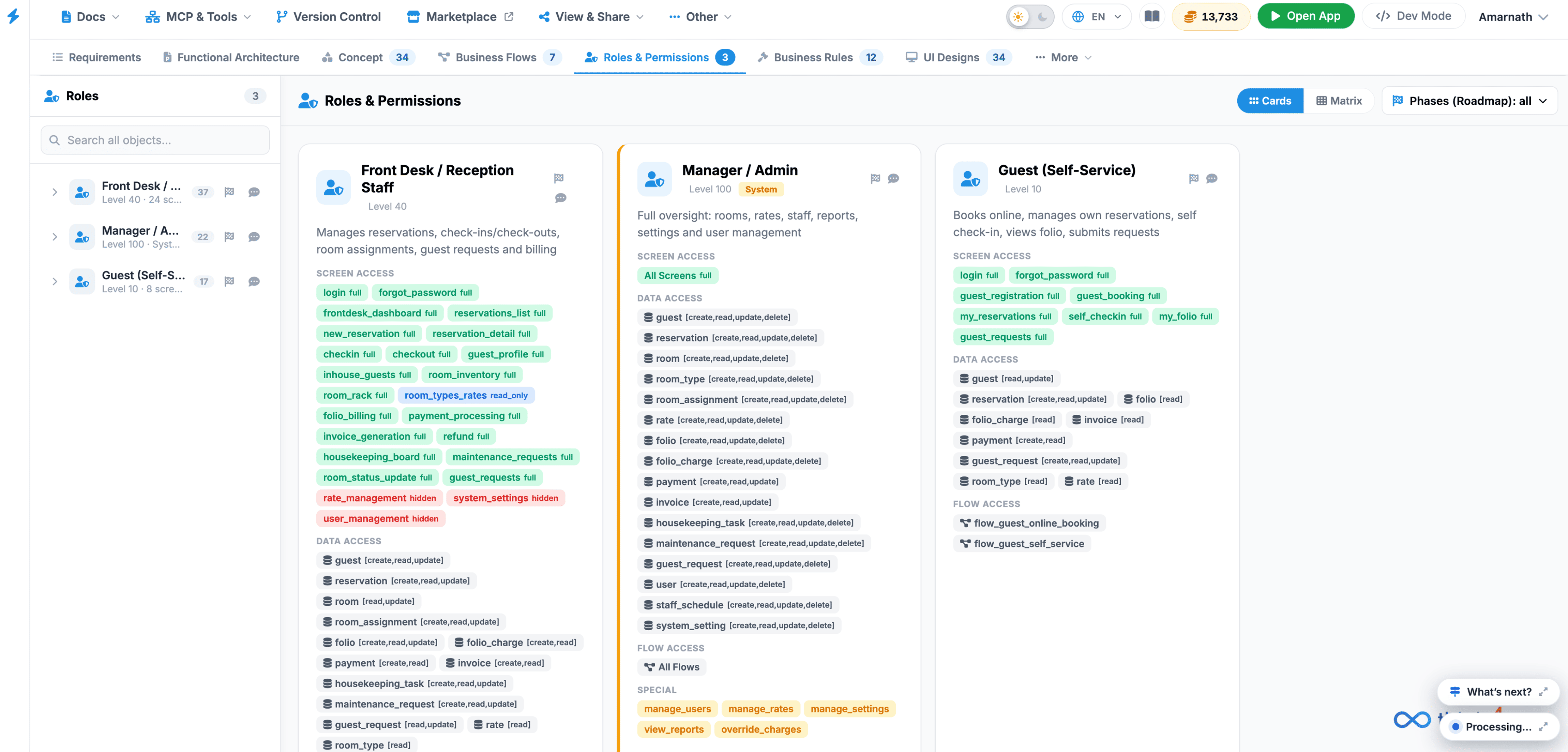
Roles & Permissions
Functional Architecture
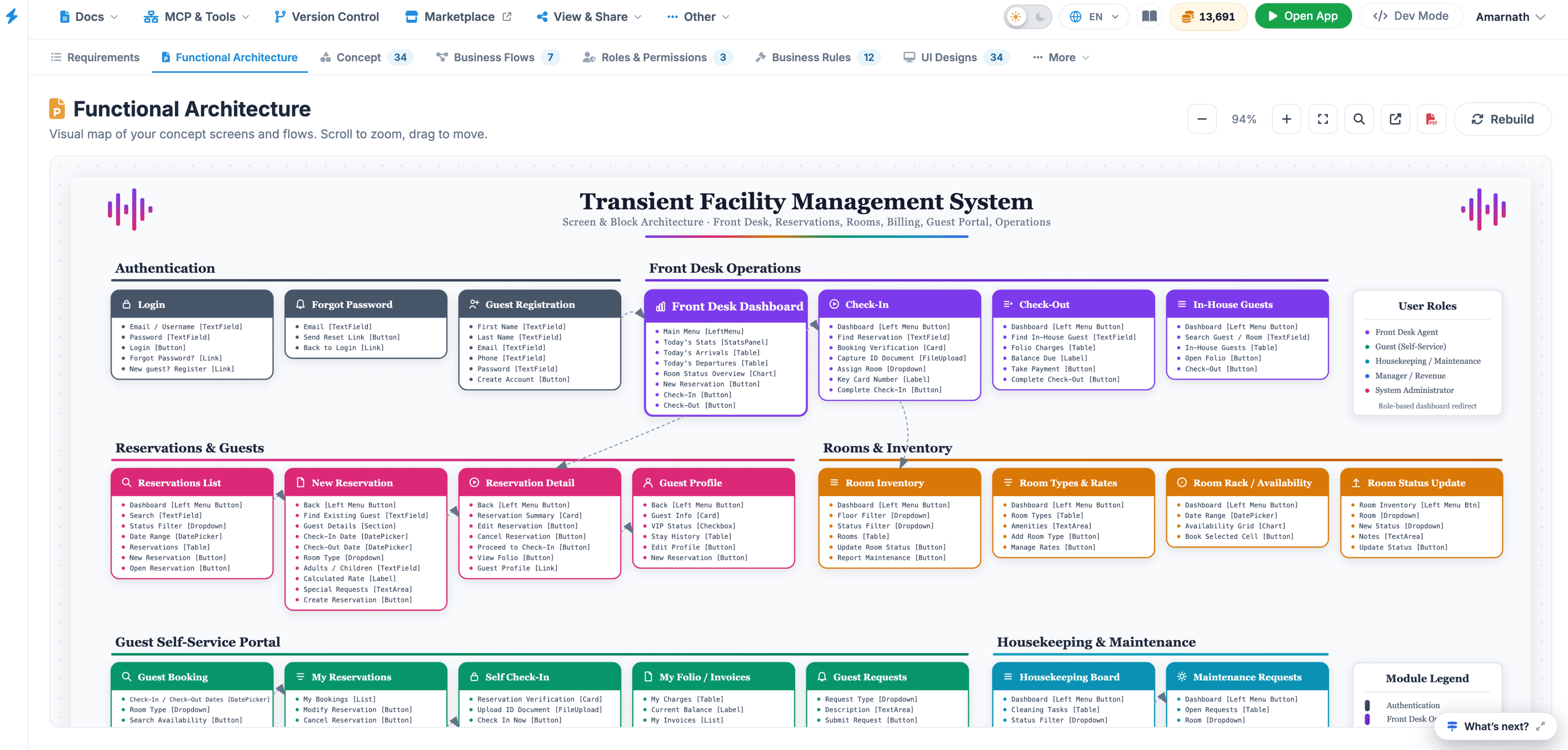
This mode focuses on upfront planning and blueprint mapping. Here, you interact with the AI to refine requirements, map out relational data objects, build business flows, define user roles, and establish integration maps. It acts as the structural brain of your system, ensuring your design is sound before any codebase files are generated.
if you want a technical aspect view of the project, you can switch to Dev Mode.