
API Keys & Usage
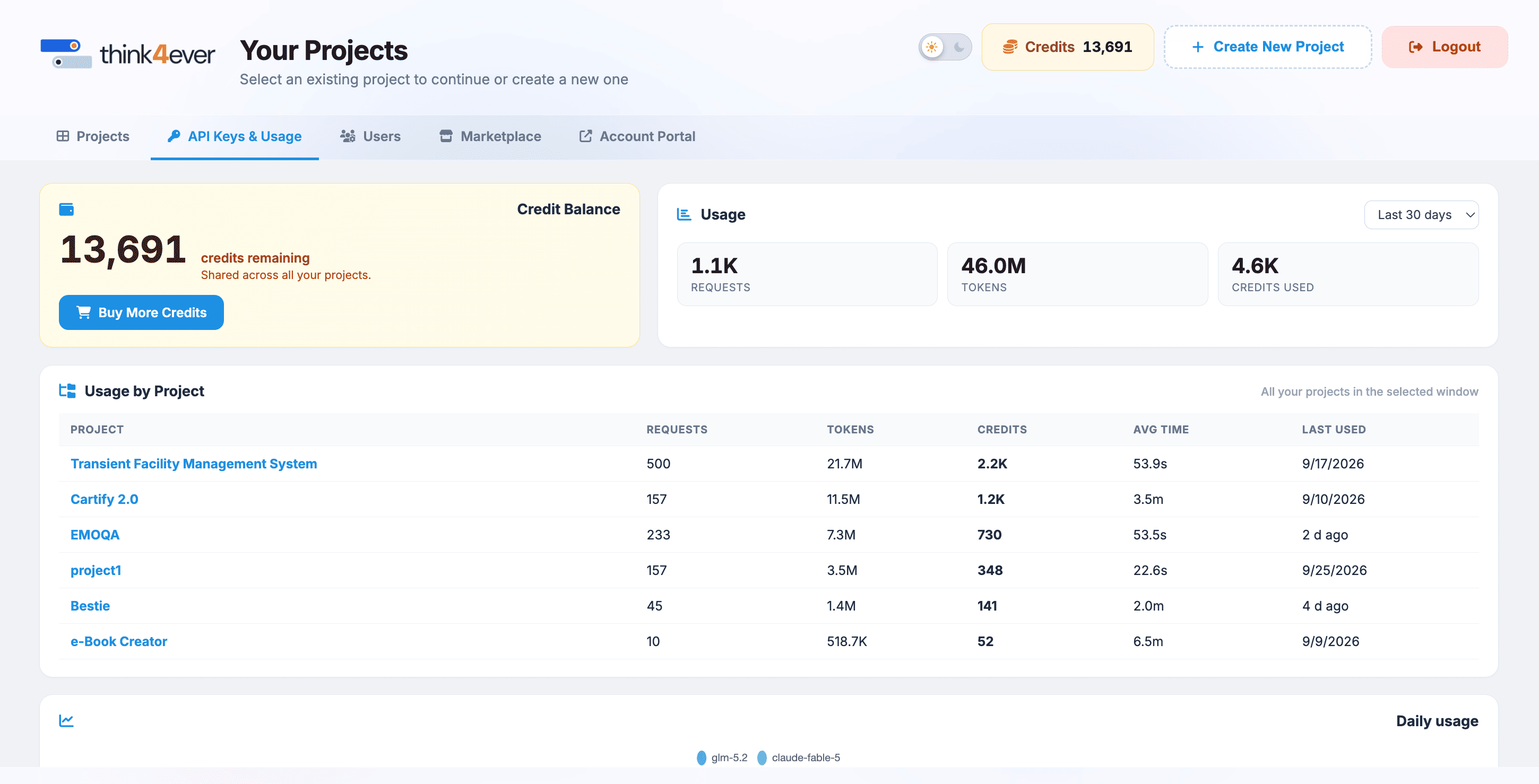
The API Keys & Usage sub-tab provides a granular overview of resource allocation, active expenditures, and usage metrics across individual projects over a designated time window.
 Click to enlarge
Global Balance & Summary Header#
- Credit Balance Card: Displays your current overall reserve asset volume (8,116 credits remaining), which is shared dynamically across all active project pipelines
- Click the blue Buy More Credits button to immediately add individual top-up credits to your account.
- Global Usage Overview Panel: Aggregates multi-project operational metrics for the selected time range (e.g., Last 30 days dropdown filter):
- Requests: Total volume of pipeline calls executed (Sample Data: 797).
- Tokens: Absolute quantity of processing data parsed (19.5M).
- Credits Used: The equivalent billing credits consumed by those tokens (Sample data: 7.8K).
- Est. Cost Estimated financial translation of your total monthly consumption (Sample data: $129.27).
Usage by Project Ledger#
This interactive data table itemizes execution metrics segmented by individual development environments inside the selected tracking window:
| Project | Requests | Tokens | Credits | Avg Time | Last Used |
|---|---|---|---|---|---|
| Vidanova Retail Lending Origination | 460 | 10.5M | 4.2K | 14.5s | 5d ago |
| Vidanova Retail Lending Origination | 301 | 7.7M | 3.1K | 12.7s | 5d ago |
| Vidanova Retail Lending Originate | 34 | 1.3M | 518 | 32.2s | 5d ago |
| First Topup Project | 2 | 60.3K | 25 | 1.4m | 6d ago |
Daily Usage Time-Series Chart#
Located at the base of the console, the Daily Usage bar chart visualizes day-over-day token consumption scaling over time. Hovering over individual time nodes (e.g., 5/13) reveals specific model clusters or background agent processing instances (e.g., claude-cpus...) driving your usage peaks.
Credit Purchase Modal Overlays#
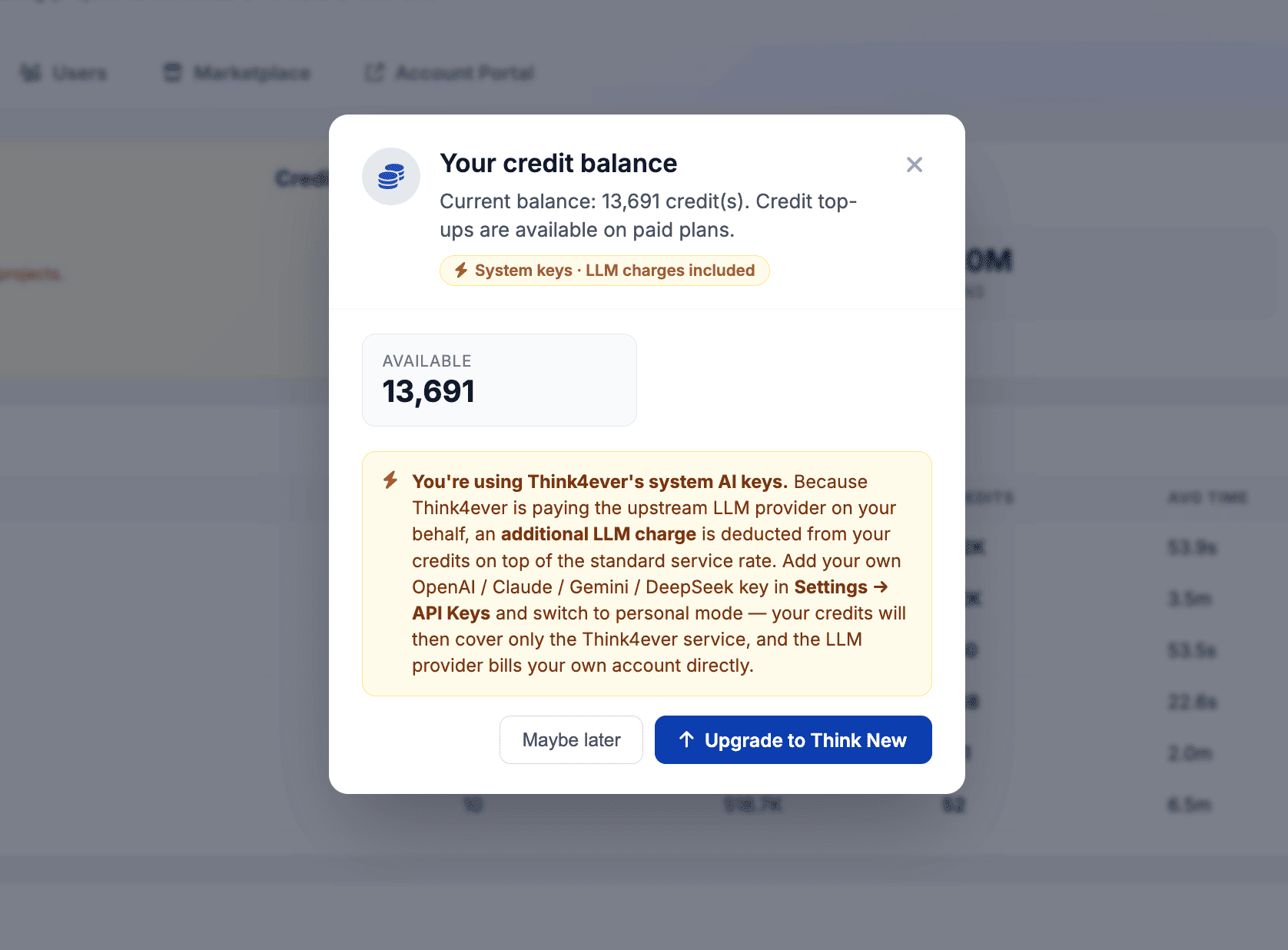
When a user attempts to add funds or interacting with a low-balance alert from within a project development view, the system handles the purchase flow using modal overlays. This allows users to quickly replenish resources without breaking their current development workflow context.
 Click to enlarge
Credit Balance Warning / Status Modal#
This pop-up overlay triggers as a prompt when reviewing usage logs or when the system detects a balance check action:
- Header Elements: Features a quick-glance credit coin icon next to the title text context "Your credit balance". A close button (✕) is placed in the top right to let users dismiss the window immediately.
- Status Message Description: Explicitly details the parent workspace's real-time financial health status ("Current balance: 8,116 credit(s). Tap 'Buy More Credits' to top up at the parent portal.").
- Available Metrics Block: Displays your exact runtime credit volume ready for consumption inside a bold callout container box (Sample Data: 8,116 AVAILABLE).
- Action Footer Toggles
- Maybe later Button: Dismisses the overlay prompt window and returns the user to their active background project view screen.
- Buy More Credits Button: A solid blue action item that redirects the user instantly to the payment execution or package selection drawer to finalize a manual overage transaction.