
Putting the Blueprint to Work
Overview
Every Think4Ever project produces a Living Blueprint: requirements, flows, rules, data, architecture and screens, all connected and all reviewable. This guide is about what you do with those artifacts once you have them: which ones matter in each phase of delivery, who should open which one, and what it saves the team.
AI made code cheap. The blueprint keeps it right.
Coding agents work from whatever is in their session. People each see their own slice of the system. Think4Ever's design artifacts are the shared record that both read from, so the decision made in a requirements review is the same one an agent builds against three weeks later.
Clarity
Everyone sees the same system, in the view that fits their role: a flow for the analyst, an ERD for the engineer, a readiness score for the leader.
Coherence
Every agent and every developer builds from the same reviewed spec, pulled over MCP into Claude Code, Cursor, Codex or Think4Ever's own agents.
Control
Changes are checked against approved rules and flows first, so a conflict shows up in review instead of in production.
The same artifacts come out whether you start from a sentence of business intent (Design from intent) or from a repository (Analyze existing code). That is what makes them useful across the whole lifecycle: new builds and inherited systems end up described the same way.
What's in the blueprint, and the question each one answers
Thirteen artifacts in five families. Each card names the question it settles, how to use it, and who gets the most from it.
1. Intent What are we building, and for whom?
Requirements
tab · Requirements“Did we agree on the goal before anyone wrote code?”
Concept map
tab · Concept“What are the big pieces, and how do they connect?”
Functional architecture
tab · Functional Architecture“What does this application actually do, end to end?”
2. Behavior How should it work, and what must always be true?
Business flows
tab · Business Flows“What happens, step by step, when a user does this?”
Business rules
tab · Business Rules“What logic governs the business, independent of the code?”
Roles & permissions
tab · Roles & Permissions“Who can see and do what?”
3. Structure What is it made of, and where does data go?
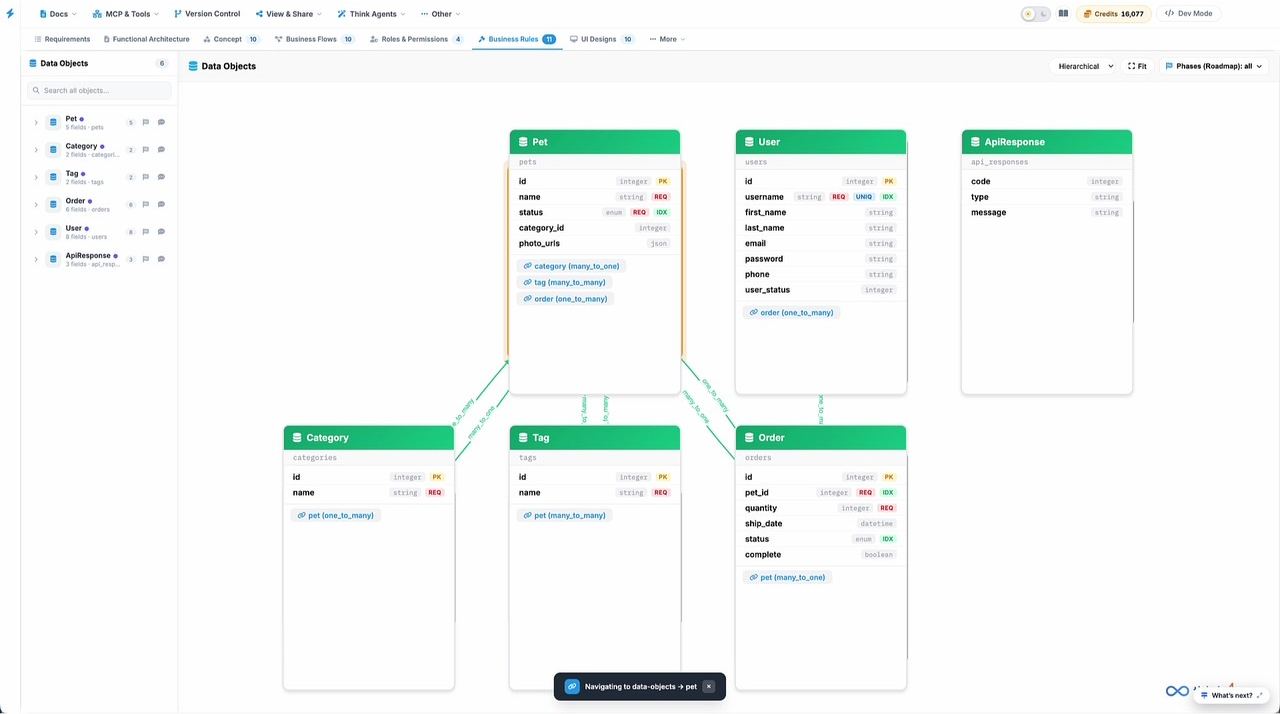
Data objects
tab · Data Objects“What are the nouns of this system?”
Integration maps & APIs
tab · Integrations“What do we talk to outside the system?”
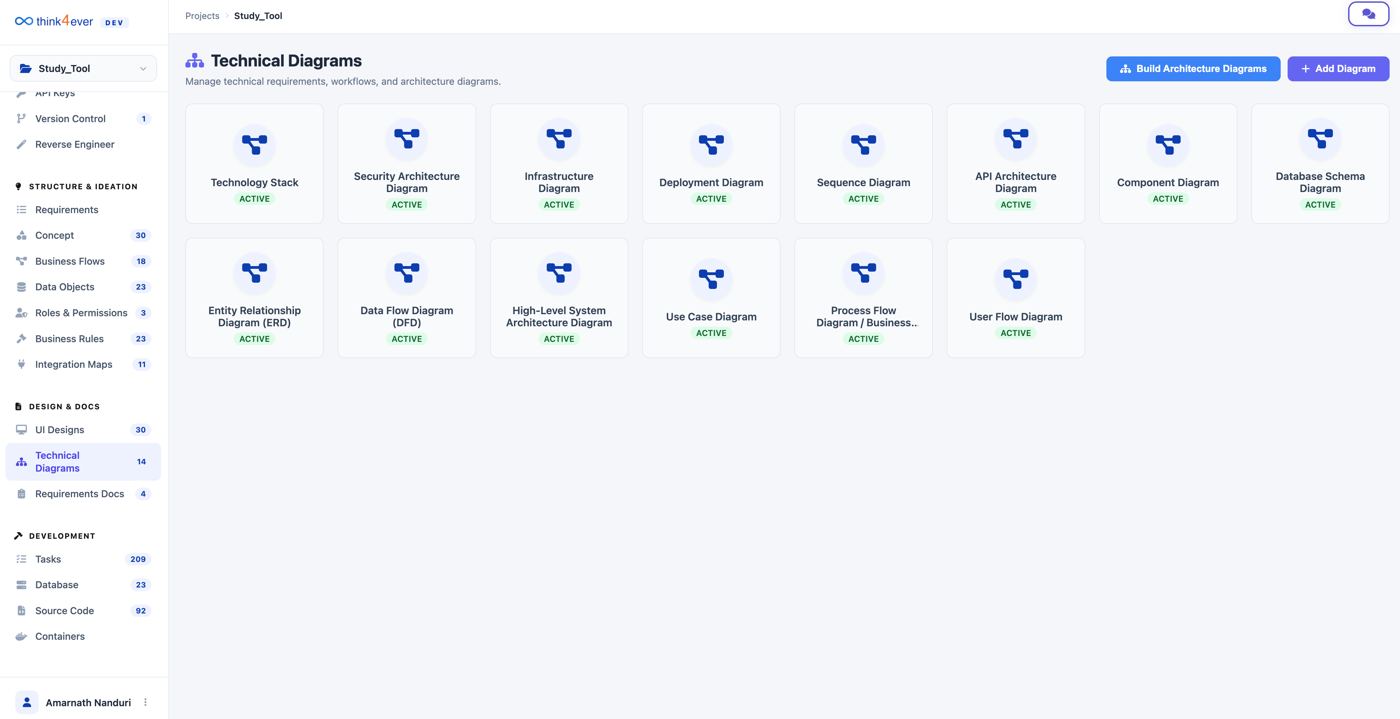
Technical architecture & diagrams
Technical Diagrams“How is it built, and how does data move?”
4. Experience What will people see?
UI designs
tab · UI Designs“Is this the product we approved, before we pay to build it?”
5. Delivery & assurance What do we ship, in what order, and is it ready?
Requirements docs
Requirements Docs“What do I send to the stakeholder who won't log in?”
Roadmap phases & build plan
Develop the app“What do we build first, and who builds it?”
Production readiness report
Production Hardening“Is this safe to put in front of real users?”
Which artifact earns its keep in which phase
The blueprint is not a design-phase deliverable that gets shelved. Most artifacts keep working through build, test and change.
| Artifact | 1 · Discover & define | 2 · Design | 3 · Build | 4 · Test & verify | 5 · Release & harden | 6 · Operate & change |
|---|---|---|---|---|---|---|
| Requirements | ||||||
| Concept map | — | |||||
| Functional architecture | — | |||||
| Business flows | — | |||||
| Business rules | ||||||
| Roles & permissions | — | |||||
| Data objects | — | — | ||||
| Integration maps & APIs | — | |||||
| Technical architecture & diagrams | — | |||||
| UI designs | — | |||||
| Requirements docs | — | |||||
| Roadmap & build plan | — | — | ||||
| Production readiness report | — | — | — |
Six moments where the blueprint pays off
For each phase: the moment you are in, the artifacts to open, what to do with them, and what the team gets back. Screens are from real Think4Ever projects; click any one to enlarge.
Turn a business objective into scope everyone signs
You have an idea, a brief or a Jira backlog, and a room of people who each picture something different.
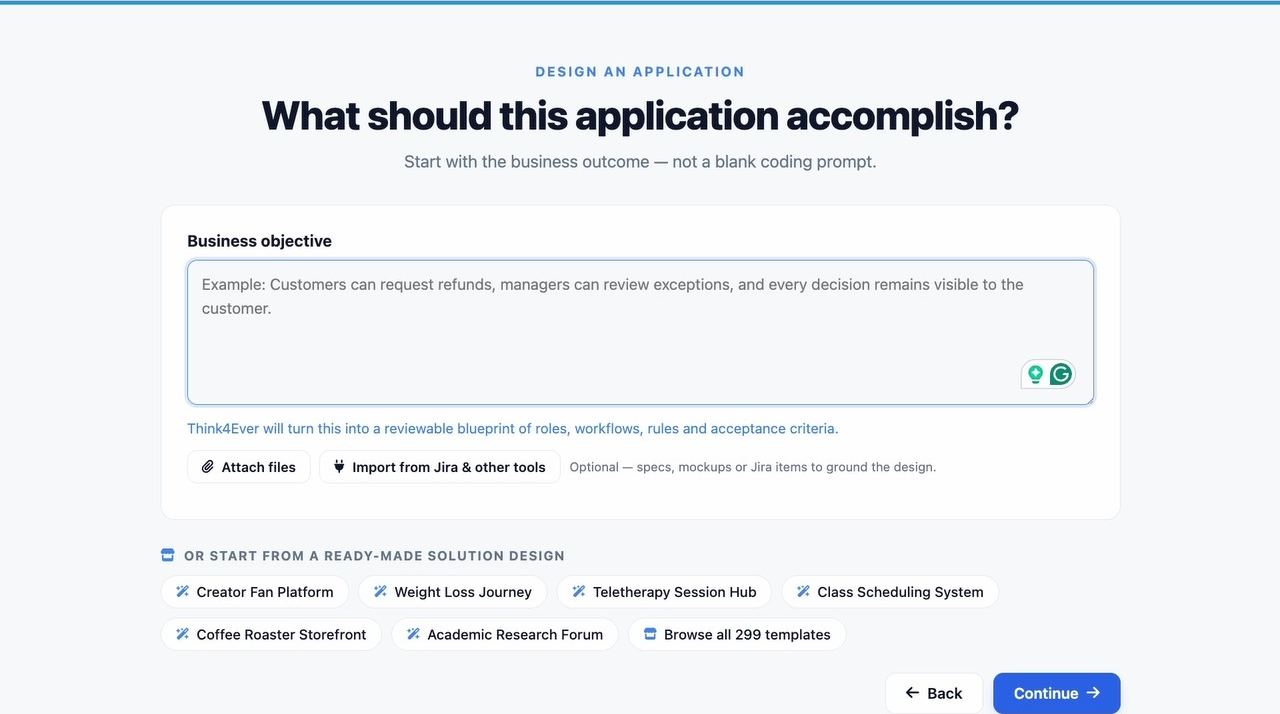
- Write the objective as an outcome. “Customers can request refunds, managers review exceptions, every decision stays visible to the customer.” Attach specs or import from Jira if you have them.
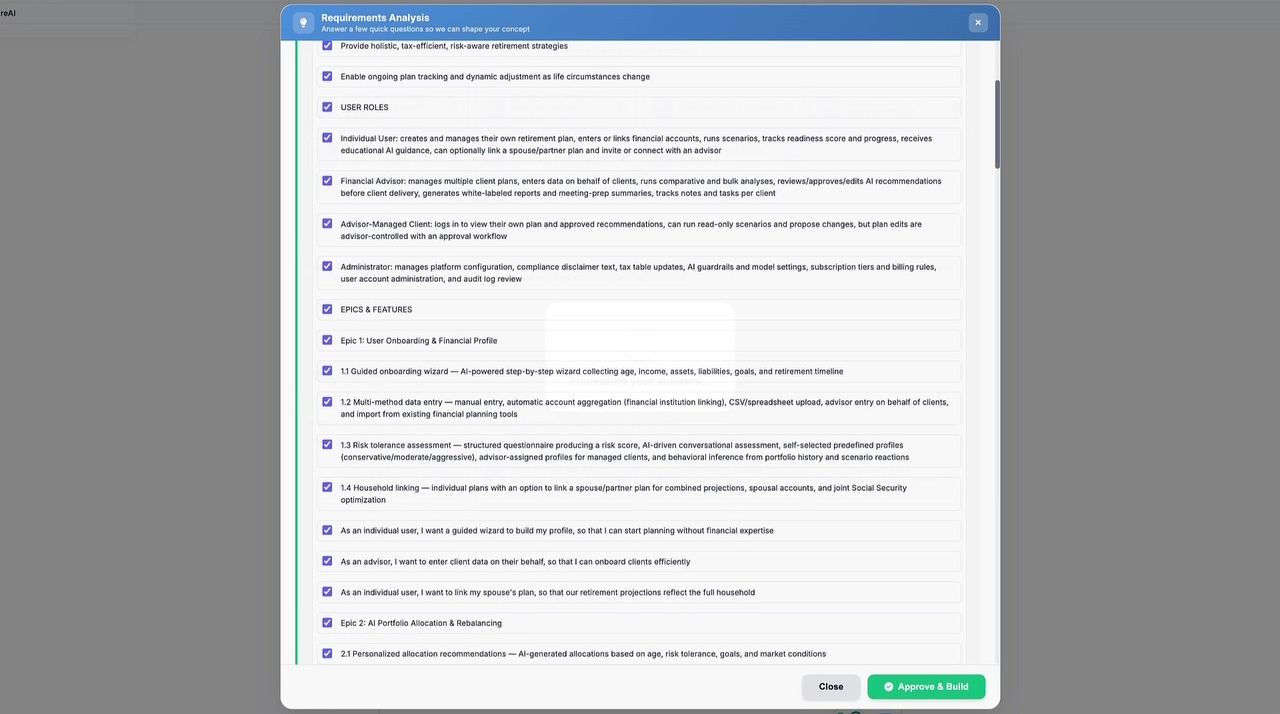
- Answer ThinkBrain's questions in Requirements Analysis. Use Let AI decide where you are unsure and review its choice later.
- Review the generated Requirements together: goals, roles, epics, user stories. Untick what is out of scope, then Approve & Build.
- Read the business rules aloud with the business owner. They are the decisions most often left implicit.
See the whole system before you pay to build it
Requirements are approved. Now the question is whether the design is complete, consistent and buildable.
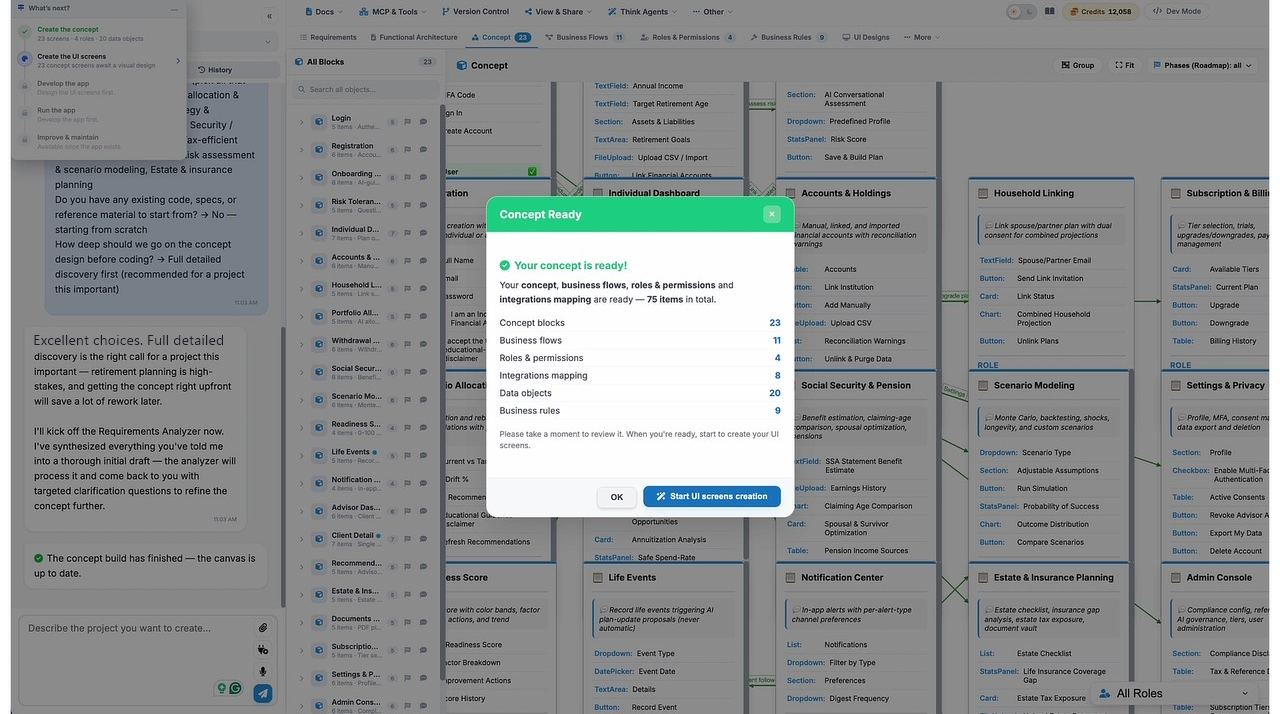
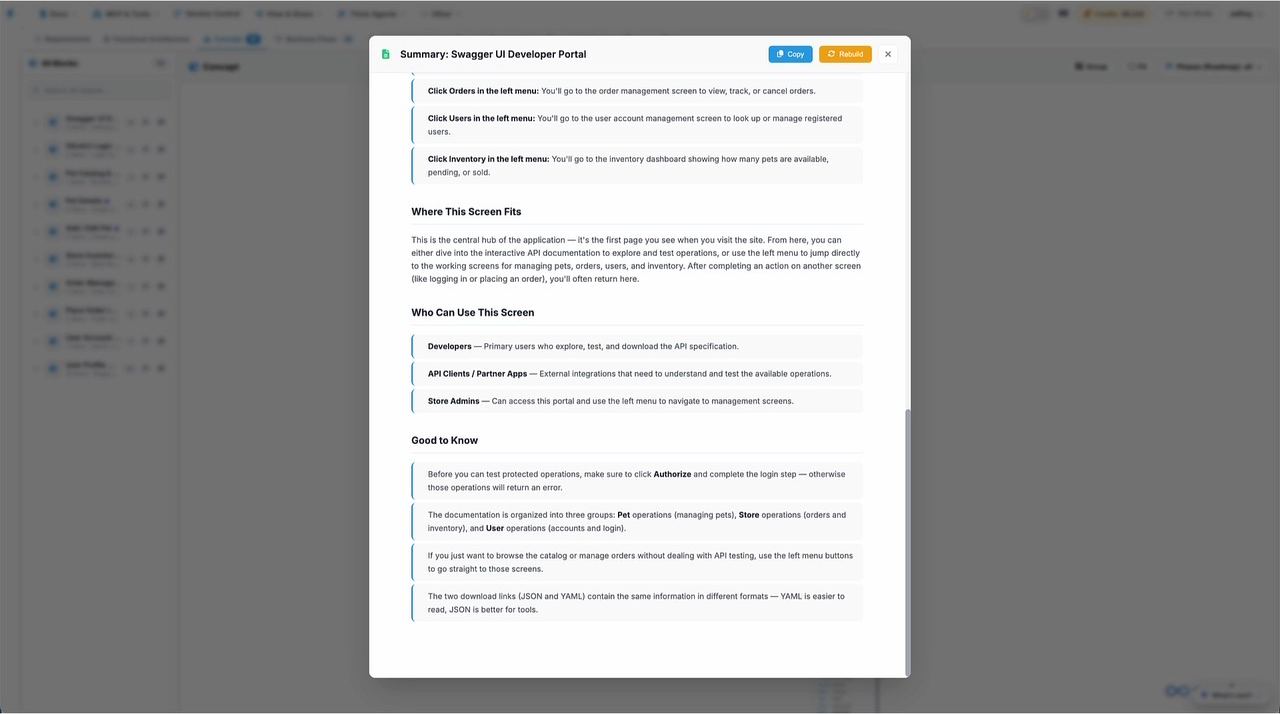
- Open the Concept Ready summary. It counts what was created: concept blocks, data objects, flows, rules, integrations and roles.
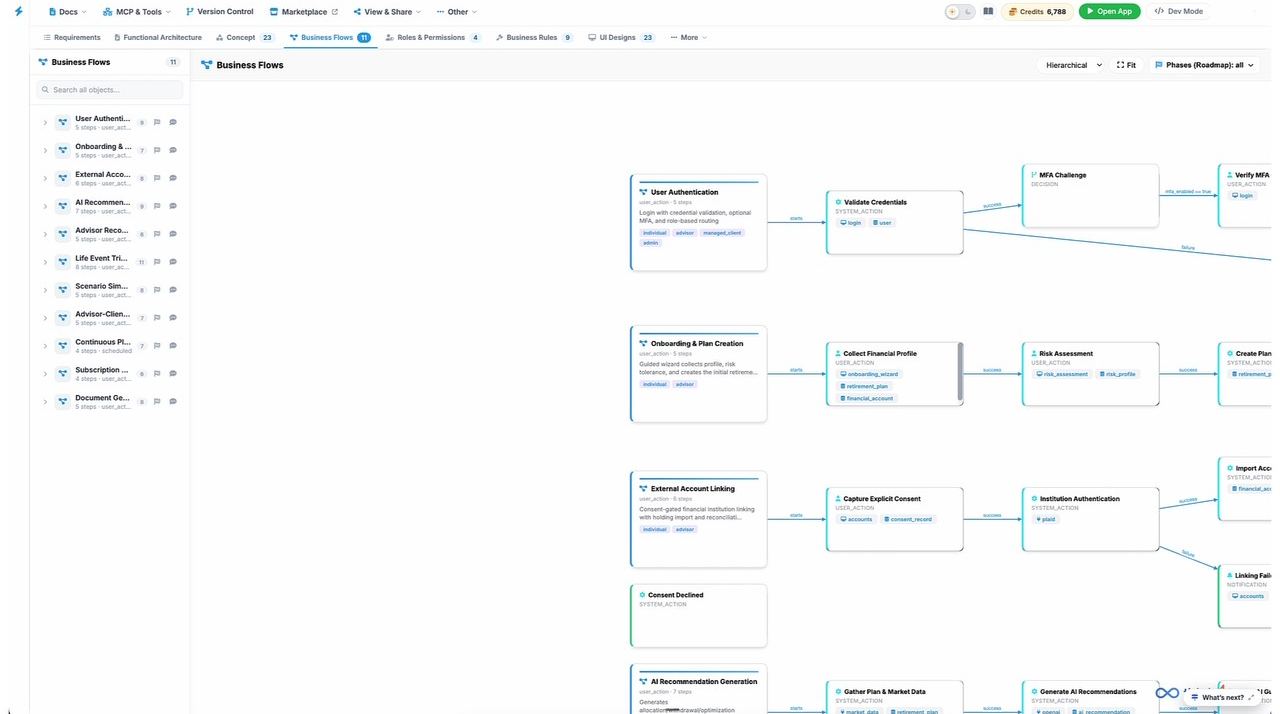
- Walk the business flows for the main journeys. Check each decision has both a success and a failure path, and that each step touches the right data.
- Generate UI screens, one per concept block, and click Preview Designs to click through the product as a mockup.
- Review architecture and data objects with the tech lead. Fix anything here, by chat or direct edit, while it is still cheap.
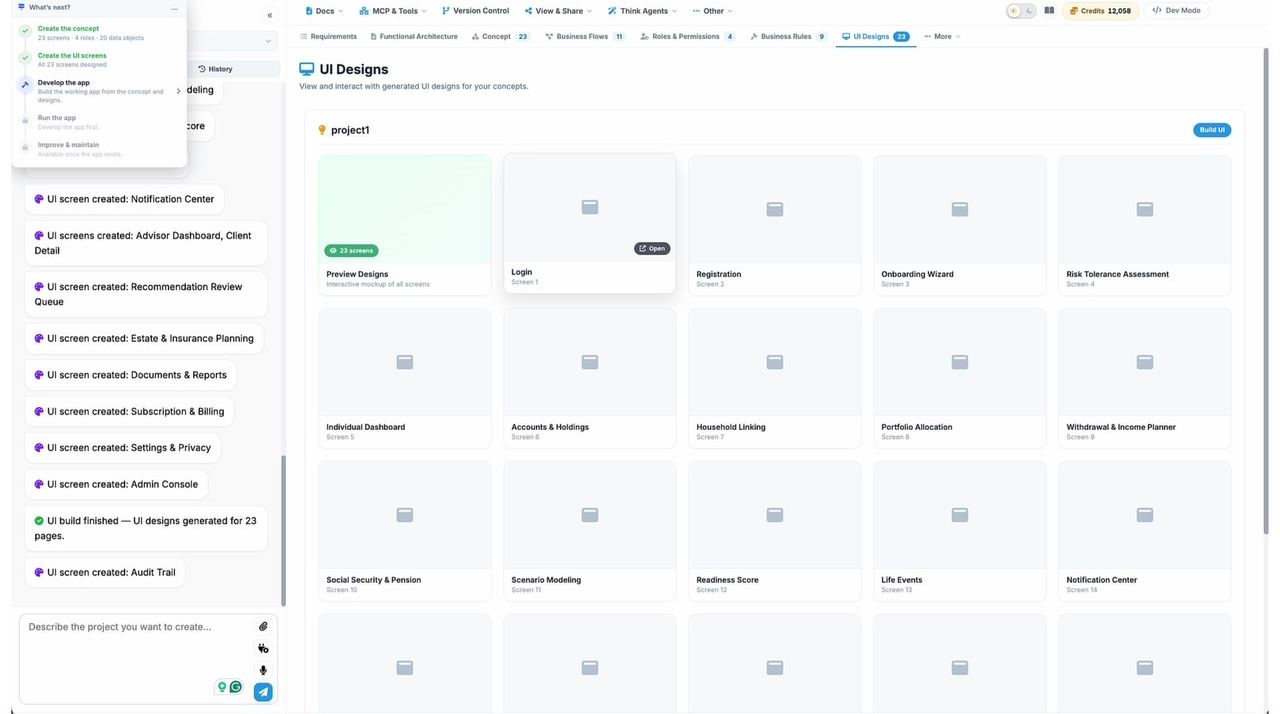
Give every coding agent the same reviewed spec
Code is about to be written, possibly by several people and several agents at once.
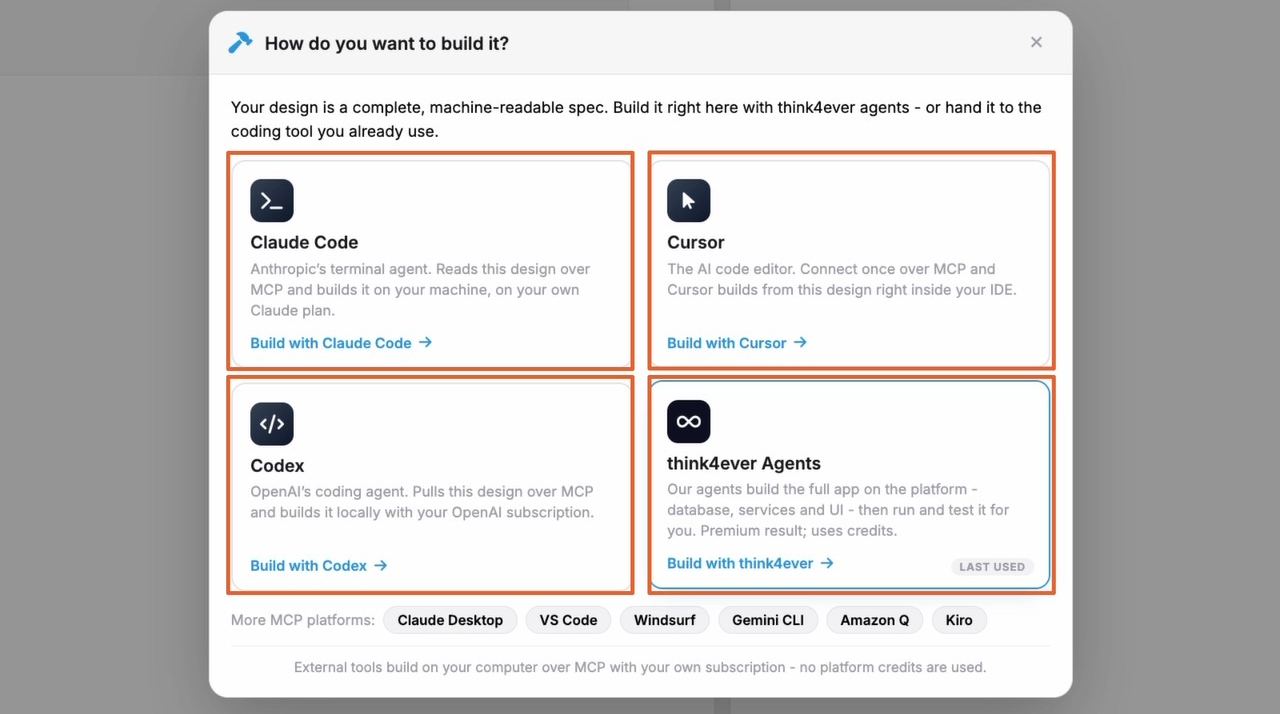
- Pick who builds. Think4Ever agents on the platform, or Claude Code, Cursor, Codex and other MCP tools on your own subscription. The blueprint is a machine-readable spec either way.
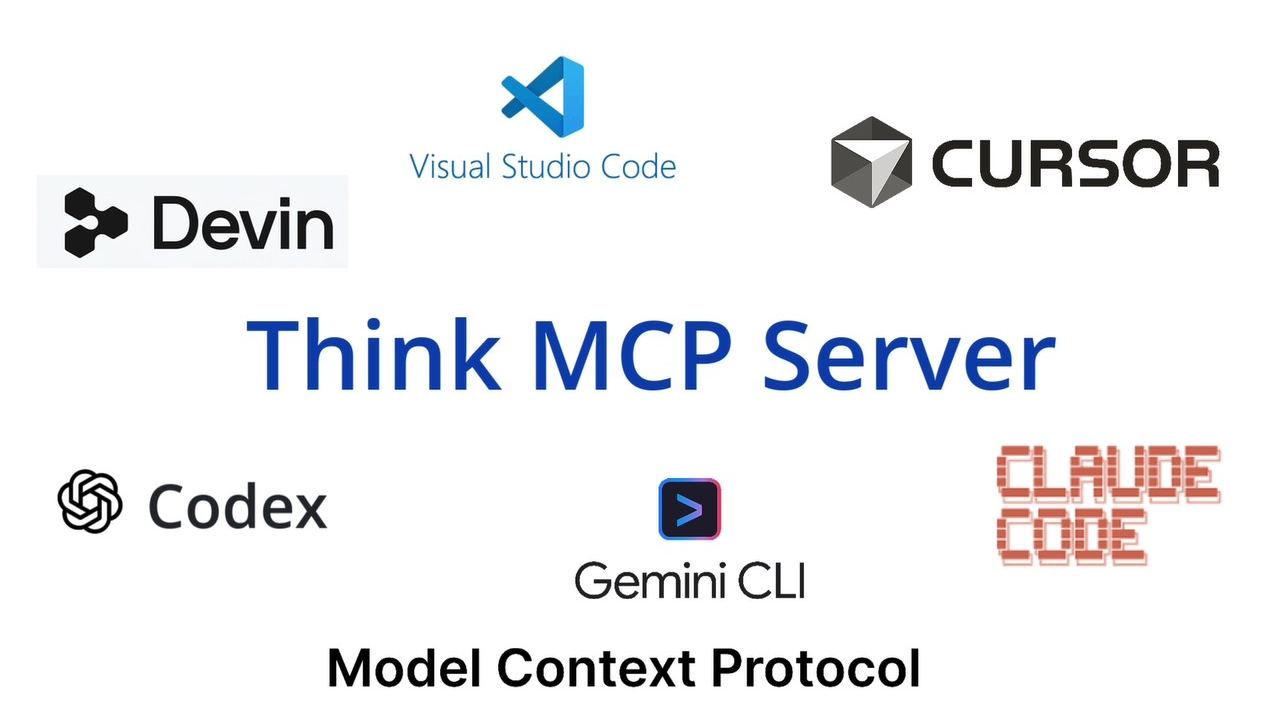
- Connect your agent once through MCP & Tools. It then reads concepts, flows, rules, data objects and screens instead of guessing them.
- Plan by roadmap phase. Tick only the phases to build now, click Draft plan, and review each step's pages, APIs, data, agent and target screen before Confirm and run.
- Build screen by screen against the planned UI. Teams that skip UI design let the coding tool invent the screens, and it shows.
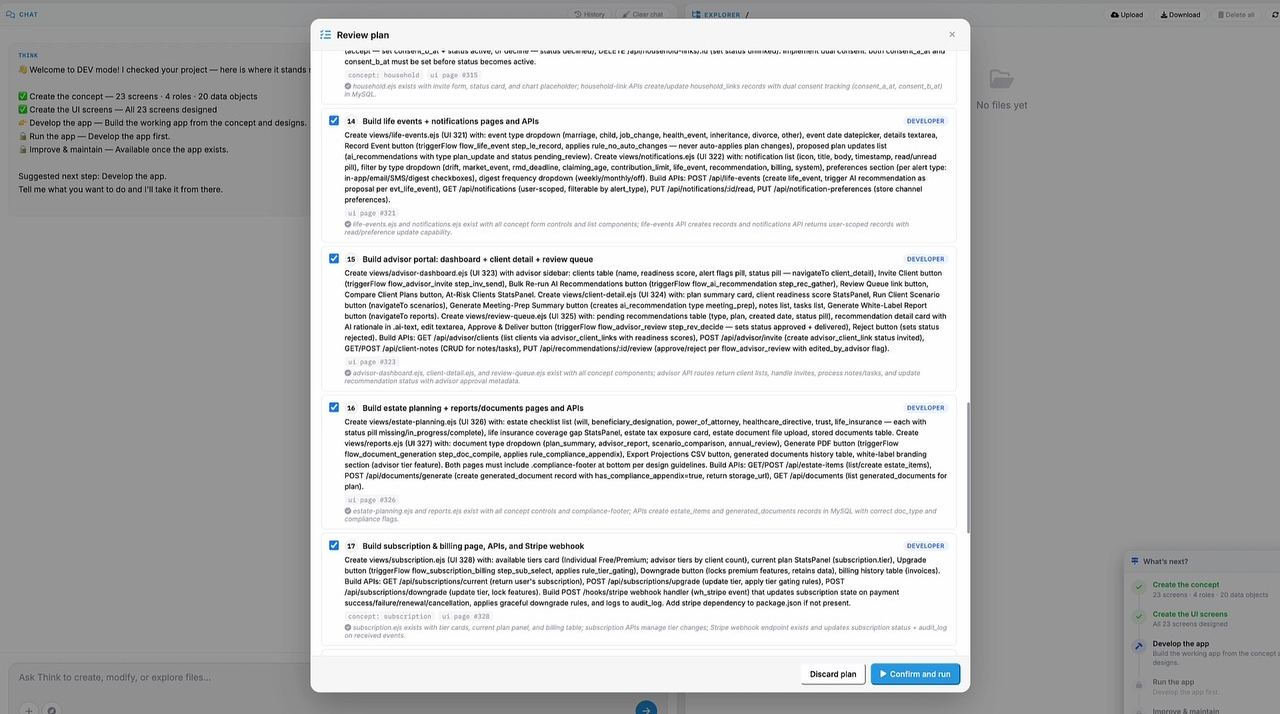
Test against what was approved, not what was coded
The app runs. A running app is the build outcome, not proof that every requirement is met.
- Turn flows into test scenarios. Each flow's trigger, actors, steps and failure paths are a ready-made test outline.
- Test every rule's violation path. Rules state exactly what should happen when they are broken (reject with a 400, re-authenticate, reformat), so the expected result is already written.
- Check access against Roles & permissions, one role at a time.
- Compare built screens with UI designs, and file mismatches as tasks with the blueprint context attached.
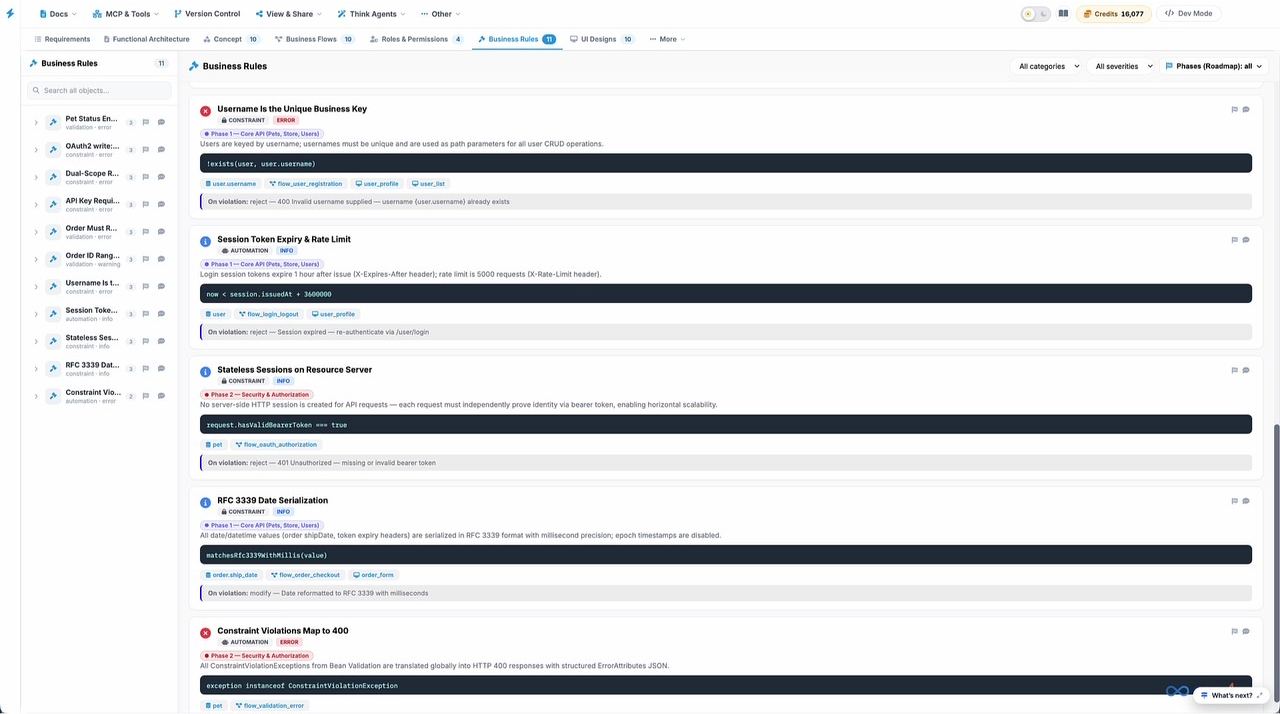
!exists(user, user.username), linked to registration and profile, rejected with a 400 on violation.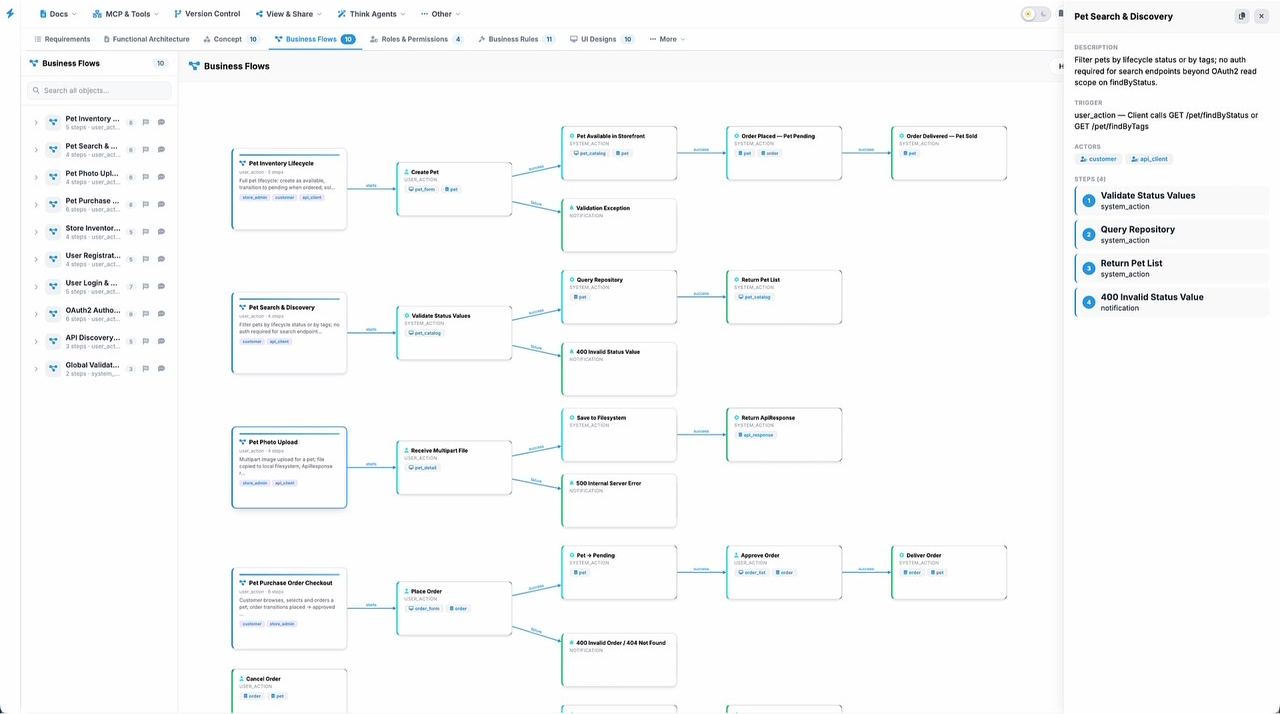
Decide go or no-go on evidence
Someone has to sign off. Today that is often a gut call on code nobody fully reviewed.
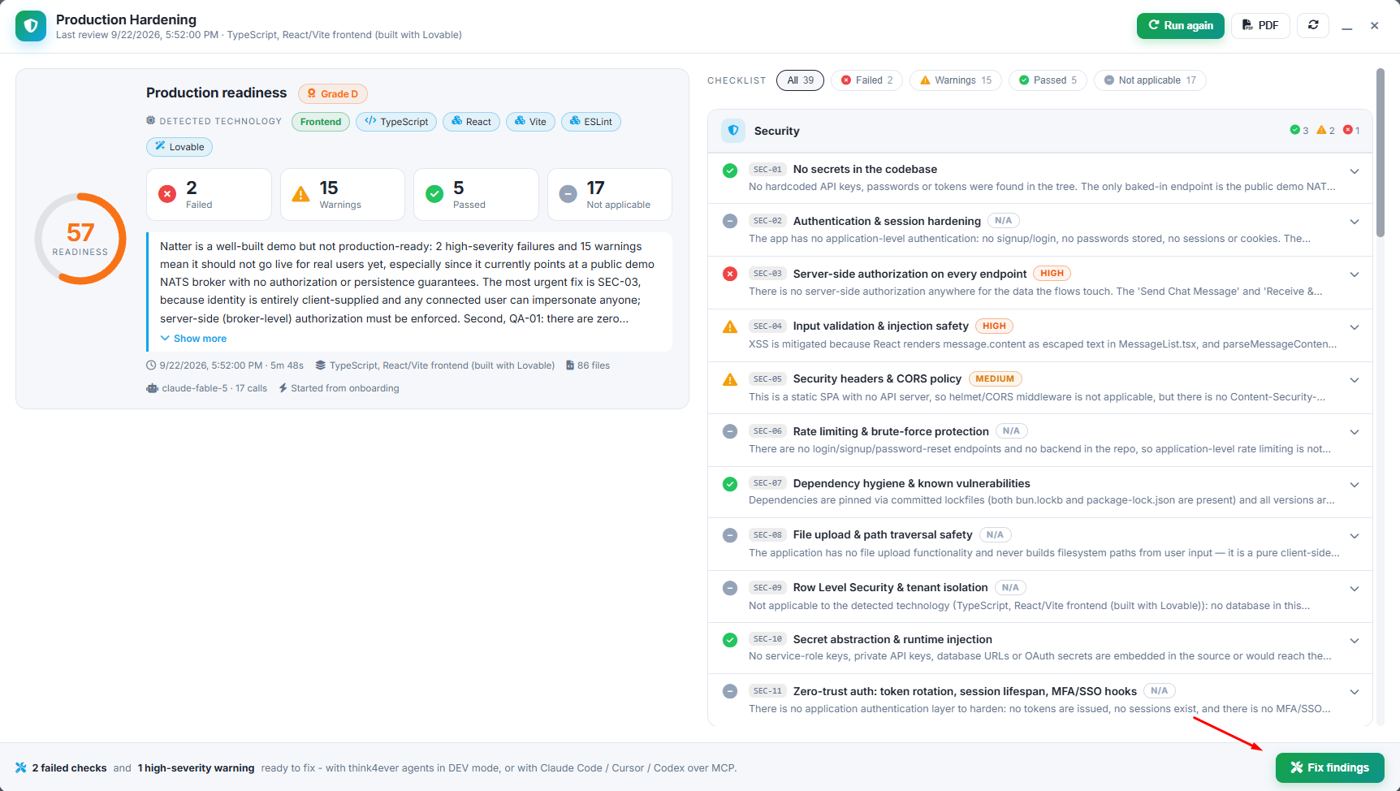
- Run Production Hardening. One reviewer agent per pillar reads the concept, the file tree and the code, then scores 39 checks.
- Read the summary first. It names the most urgent fix in plain language, ahead of the checklist.
- Click Fix findings to hand failed checks to Think4Ever agents or your own agent over MCP, then run again.
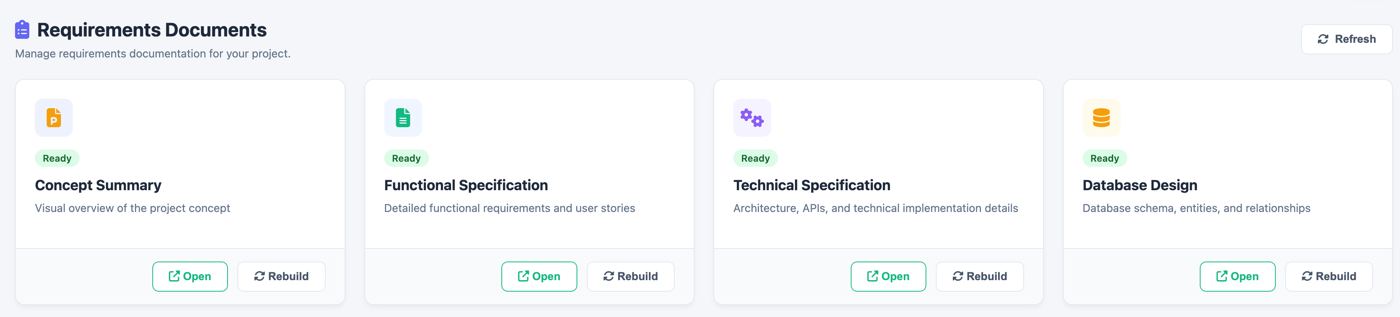
- Rebuild the requirements docs so the specs you hand to the sponsor, client or auditor match the release.
Change an existing system without breaking it
The app is live, or inherited, and the people who wrote it may be gone. Every change is a risk.
- Map the code. Choose Analyze existing code, point at the repository and branch. The source repository is not changed.
- Onboard with summaries. New team members read the screen summaries and business flows first, then the architecture. It is much faster than reading code.
- Plan the change in the blueprint. Edit the block, its items, connections or phase, then check which flows, rules and objects it touches.
- Rescan after outside changes. If code changed outside Think4Ever, a fresh scan brings the blueprint back in step.
Same blueprint, different first click
Personas follow the project's Value and Differentiation draft. Each panel says what the person is really asking, which artifacts to open first, a short routine, and what they can claim afterwards.
“Are we getting control and return from what we spend on AI development?”
- Check the readiness score and grade on each release candidate.
- Read the Concept Summary for programs you sponsor.
- Ask for roadmap phases before budget, not after.
Outcome: One governed record across teams, vendors and agents; knowledge that stays with the company; evidence ready when auditors or customers ask.
“Scale AI development without losing control of what gets built.”
“Will what ships match what we approved?”
- Approve requirements and untick what is out of scope.
- Walk the main flows and click through the UI preview with stakeholders.
- Review each rule's severity and on-violation behavior, then approve the build plan by phase.
Outcome: What ships matches what was approved, with fewer late surprises and a traceable line from rule to code.
“Approve the intent. Know it was built.”
“How do I keep the design intact when ten agents are writing code?”
- Review architecture by layer and the ERD before build starts.
- Connect the team's agents over MCP so they read the same contracts.
- Check impact in the blueprint before approving a change; run hardening before each release.
Outcome: Architecture that is enforced, not just documented, and safe refactoring and modernization of legacy systems.
“Your architecture, enforced across every agent.”
“Why am I re-explaining this product to every agent?”
- Connect Claude Code, Cursor or Codex to the project once.
- Ask the agent to pull the concept, schema and rules before writing code.
- On an inherited repo, read block summaries and flows first.
Outcome: Less re-prompting and rework, agents that stop inventing schemas, and onboarding to unfamiliar code without reading it line by line.
“Stop re-explaining your product to every agent.”
“What was this supposed to do, and can I prove it does?”
- Derive test cases from flow failure paths and rule violations.
- Test access one role at a time against the permissions matrix.
- Use DFDs, security diagrams and the hardening report as review evidence.
Outcome: Documentation, data flows and linked rules for code they did not write, and findings ranked by severity.
“Review the system, not just the diff.”
“How do I deliver a governed result and hand it over cleanly?”
- Map the client's existing system in the first week.
- Agree scope and phases on the blueprint, not in slides.
- Hand over the blueprint and rebuilt specs with the code.
Outcome: A repeatable delivery method they can sell as an outcome, with knowledge transferred cleanly to the client.
“Understand, encode, build, govern.”
Three projects, start to finish
AI retirement planner
One paragraph: a personal retirement-planning app that advises like a professional investment banker. After full discovery and one approval, ThinkBrain produced the blueprint below.
23 screens, from Login to Scenario Modeling and Admin Console across three roadmap phases. Agents completed a 22-step plan to launch.
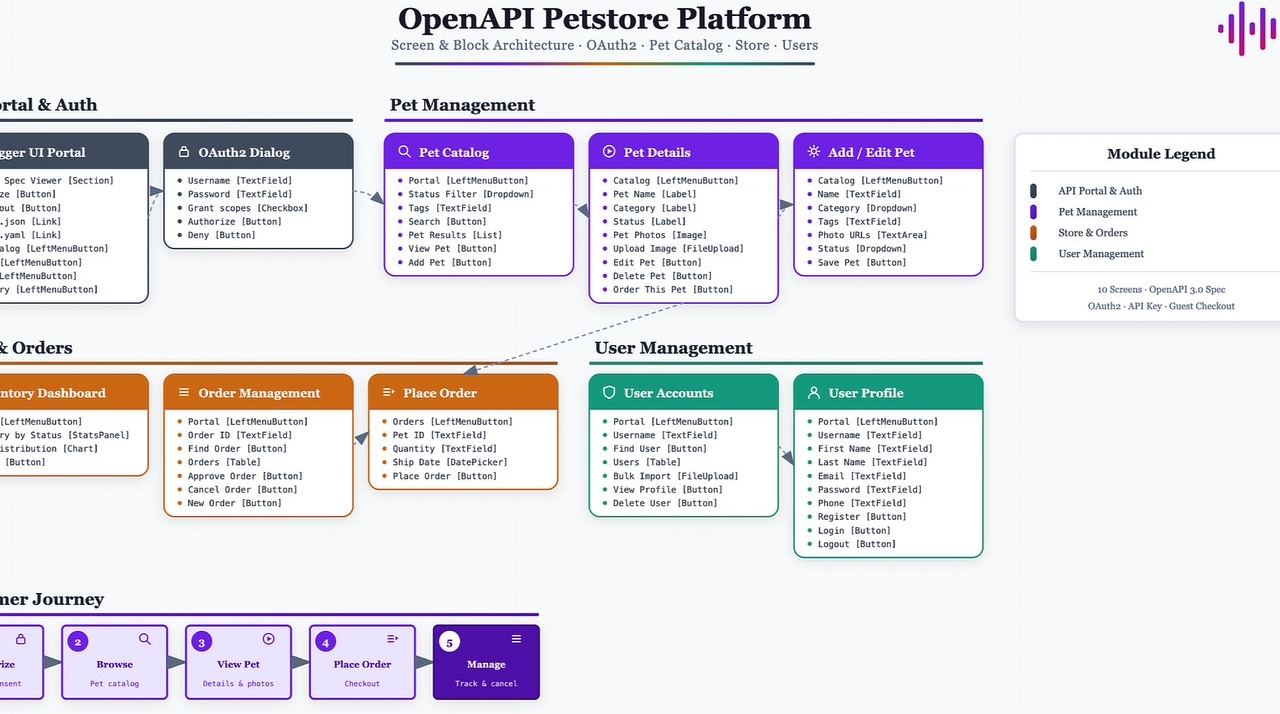
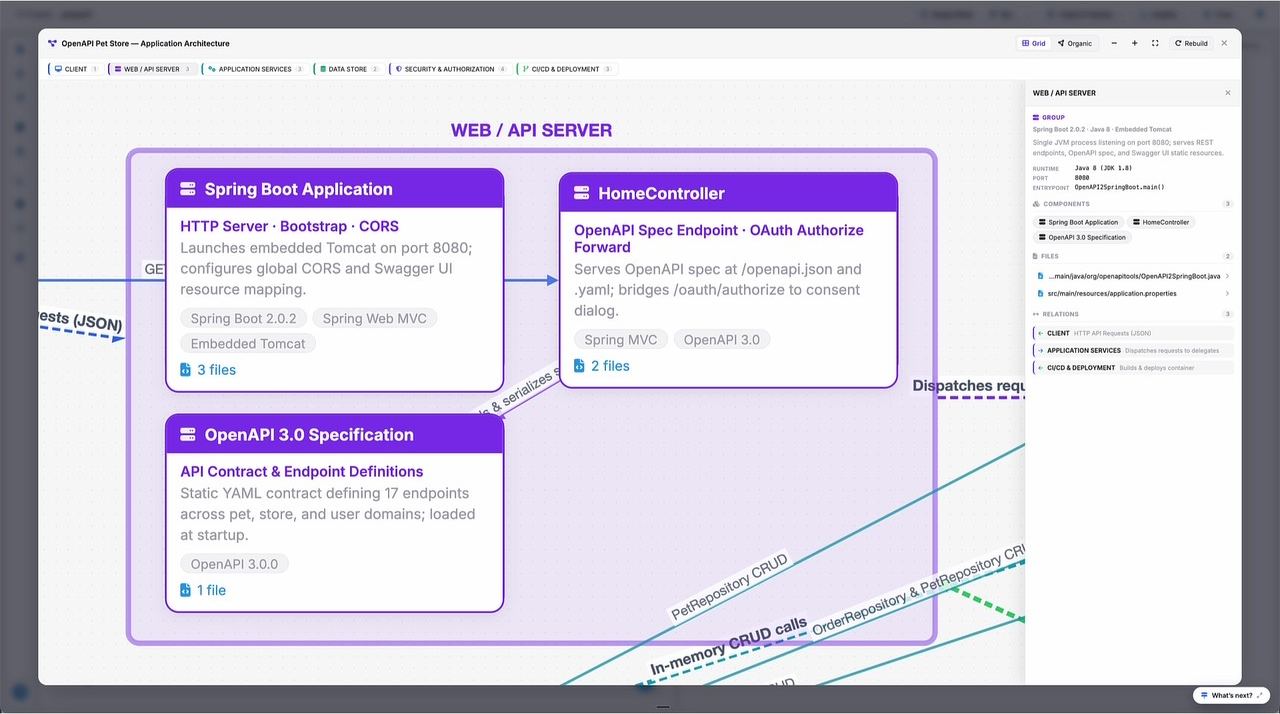
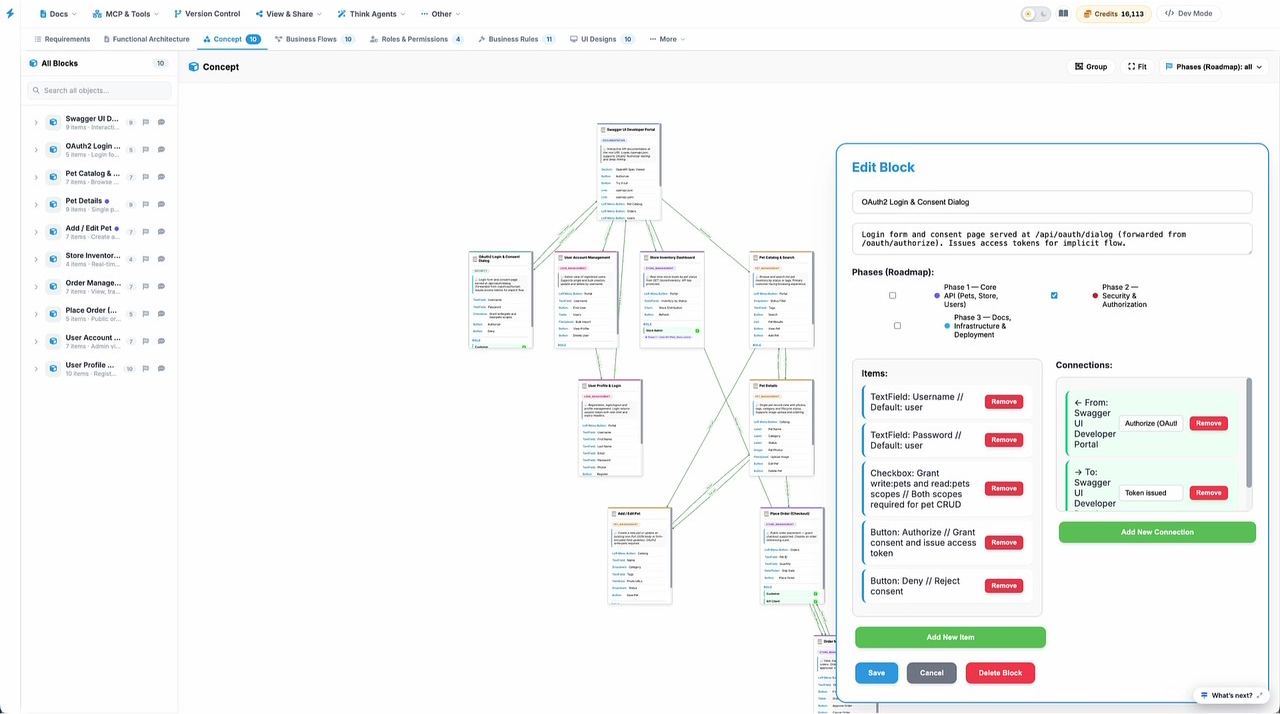
OpenAPI Petstore
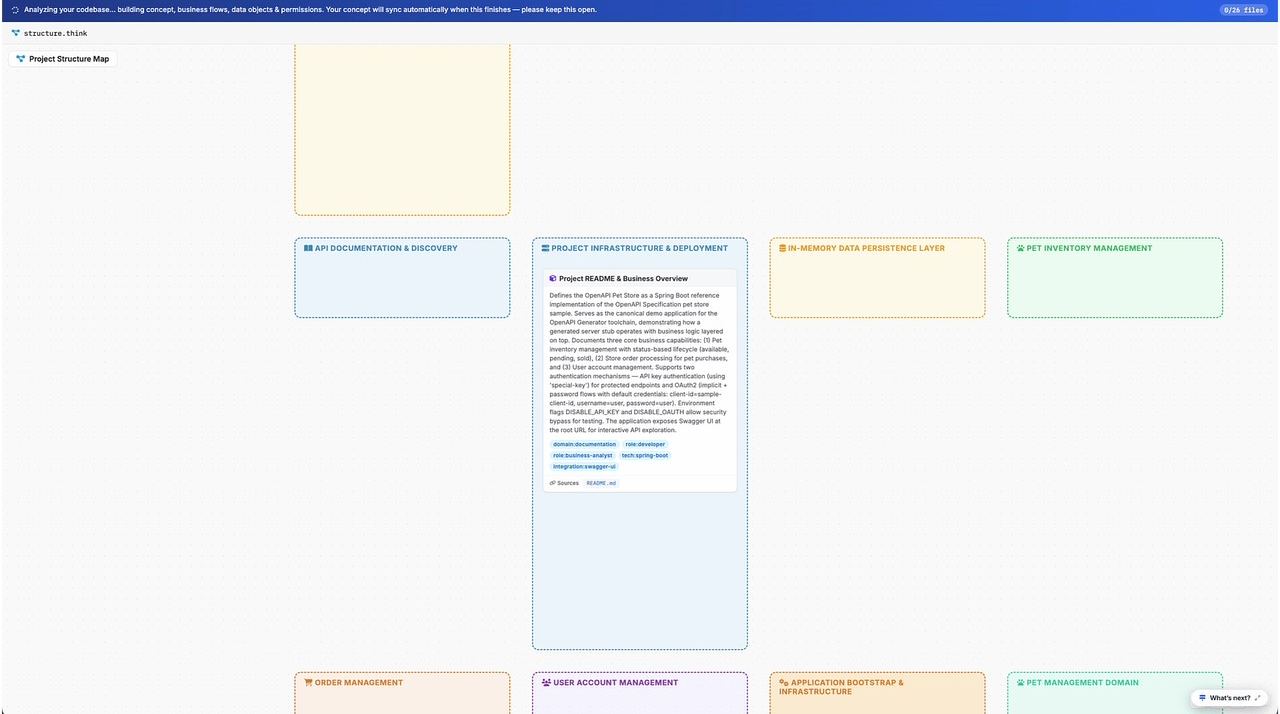
A public Spring Boot API for pets, orders and users, imported from GitHub (26 files). Nobody wrote a design document; Think4Ever recovered one.
Rules like “Username is unique” and “Session token expires after 1h” recovered straight into plain language for confirmation.
Natter messaging app
A React messaging frontend built with Lovable. It looked finished. The readiness review said otherwise.
Identity was entirely client-supplied, so anyone could impersonate anyone. Handed straight to an agent via Fix findings.
What changes when the design artifacts are live
| Moment |
Without a living blueprint
|
With Think4Ever's artifacts
|
|---|---|---|
| Kick-off | Requirements in slides and tickets, interpreted differently by each team | Approved goals, roles, epics and stories that every later artifact is derived from |
| Design review | A diagram drawn once, stale by the next sprint | Concept, flows, data and screens generated together and kept connected |
| Agent session | The first part of every session spent re-describing the data model and rules | The agent pulls schema, rules and screens over MCP and builds against them |
| Testing | Test cases reverse-engineered from the code that was written | Test cases taken from approved flows and rule violation paths |
| Release | Go/no-go on confidence | Readiness score, grade and ranked findings, with fixes handed to agents |
| Change & onboarding | Read the code, ask whoever is left | Read summaries and flows, check impact in the blueprint, rescan to stay in step |
Sources and notes
- Artifact descriptions: think4ever.com docs (Create a New Project, Designer introduction), the Think4Ever User Manual v1.1, and the how-to guides Build an Application from Intent, Turn Existing Code into a Living Blueprint and Design in Think, Code in Claude.
- Examples and counts: Taken from those guides, the Production Hardening white paper (Natter) and the One Spec, Every Agent white paper (Claude Code session). The 24-versus-48-hour refund example is from the think4ever.com How it works page.
- Personas, outcomes and messages: Come from the project's Value and Differentiation draft. The persona routines and the phase map are recommendations written for this guide, not automated product behavior.
- Screenshots: Technical diagram and requirements-docs screenshots come from the user manual and show the earlier Dev-mode interface.