
Auto-Top Up
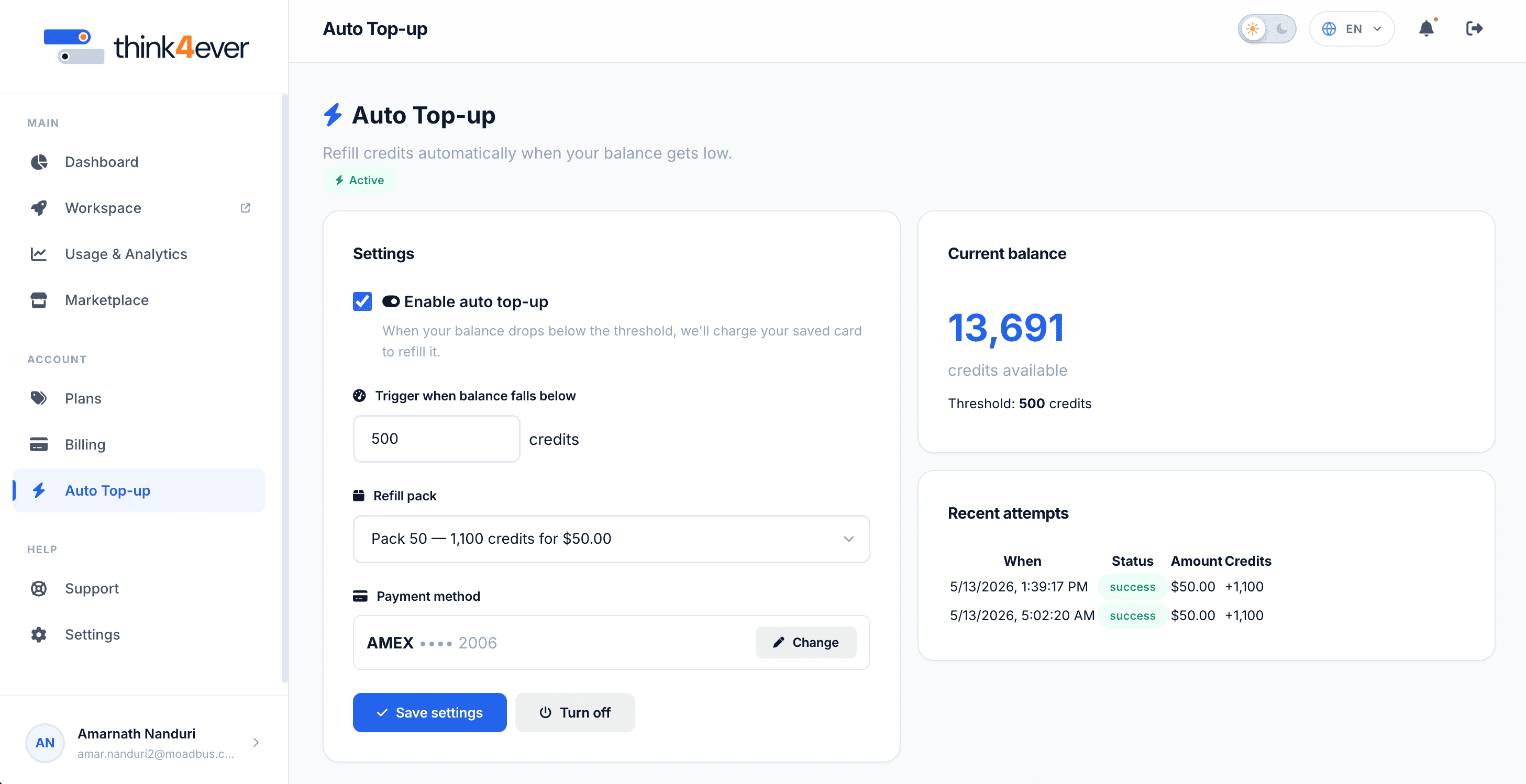
The Auto Top-up settings page lets you automate credit purchases to prevent processing interruptions. When your credit balance drops below a set floor, the system automatically bills your linked payment method to replenish your account.
 Click to enlarge
Status Indicator#
- Located directly under the section title, a green Active badge indicates that the automation rules are currently live and monitoring your account balance in real time.
Configuration Settings Panel#
This section houses the control parameters for managing your automated replenishment rules:
- Enable auto top-up Checkbox: Toggles the automatic replenishment feature on or off.
- Trigger when balance falls below: A customizable input field where you define your minimum safety threshold (e.g., 500 credits). If your active balance dips below this number, a refill is automatically initiated.
- Refill pack: Displays the active card on file allocated specifically for automated charges (e.g., AMEX •••• 2006).
- Click the Change button to select or link a different card.
- Save settings Button: Saves any modifications made to your trigger thresholds or refill packs.
- Turn off Button Instantly disables the automatic billing automation.
Current Balance Snapshot#
- Displays your immediate credits available balance (e.g., 8,116) alongside a reminder of your active trigger threshold limit (500 credits), making it easy to see how close you are to an automated refill.
Recent Attempts Log#
An audit trail displaying a history of your latest automated transaction events:
| When | Status | Amount / Credits |
|---|---|---|
| 5/13/2026, 3:39:17 PM | success | $50.00 for +1,100 credits |
| Completion tokens | 1.2M | Represents the actual output generated by your AI agents (e.g., code, generated text, or processed system steps). |
| 5/13/2026, 7:02:20 AM | success | $50.00 for +1,100 credits |
Note
The log monitors execution attempts and explicitly notes whether a purchase succeeded or encountered an issue, such as an expired card.