
Business Rules
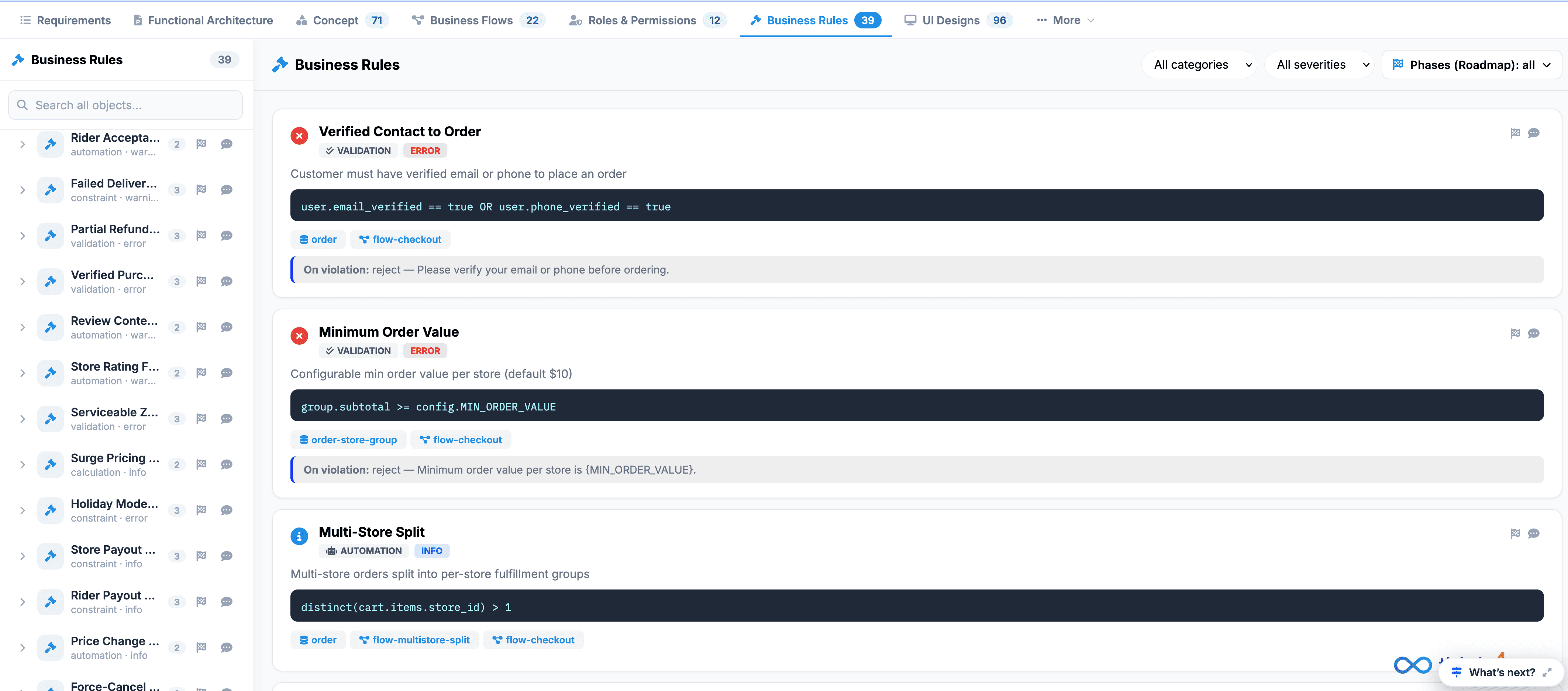
The Business Rules section allows authorized users to define and manage the rules that control how the application behaves under specific conditions.
Business rules represent the “if/then” logic of the application. They define what should happen when a particular condition is met, without requiring users to understand or modify the underlying application code.
 Click to enlarge
For example:
If a user has a Free tier account, then the user can upload only 1 document per month .
By centralizing these rules, the platform can consistently apply business policies across different features, users, and workflows.
Purpose of Business Rules#
Business Rules help organizations translate business policies and requirements into configurable application behavior.
They can be used to define rules related to:
- User eligibility
- Account or subscription limits
- Data validation
- Transaction restrictions
- Approval requirements
- Workflow conditions
- Access or feature availability
- Operational limits and thresholds
Centralizing these rules makes it easier to maintain business logic and reduces the need to hard-code individual business requirements into application features.
How Business Rules Work#
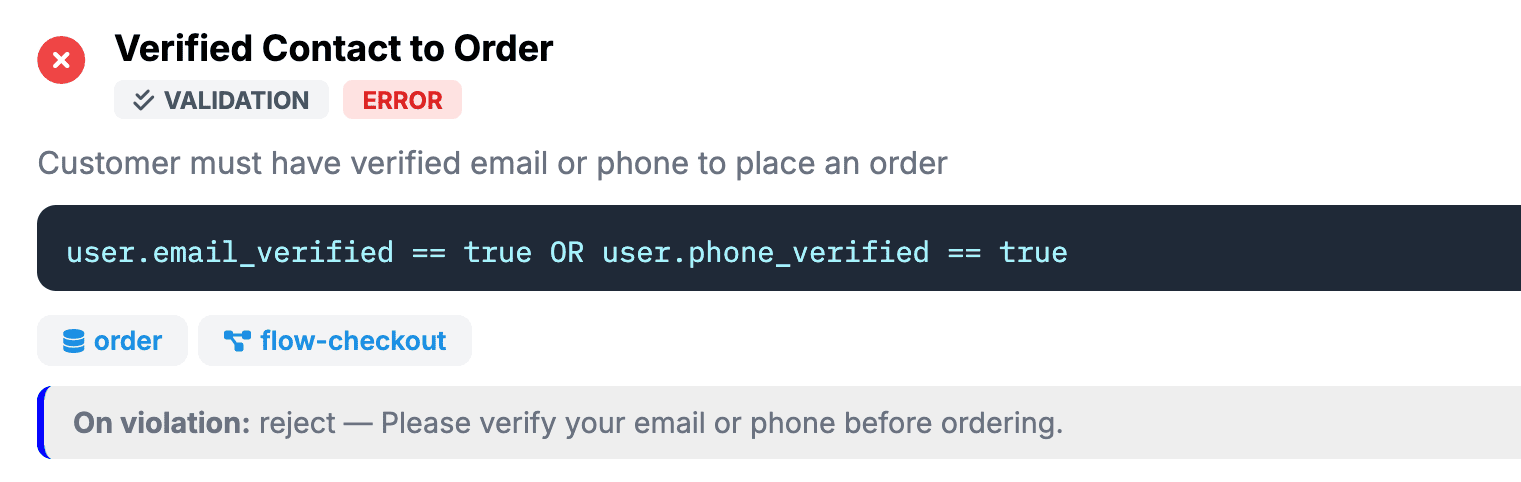
A business rule generally consists of two parts:
The Condition determines when the rule should be applied, while the Action defines what the system should do when the condition is satisfied.
Example#
 Click to enlarge
The system evaluates the condition and applies the corresponding action automatically.
Business Rules Configuration#
The Business Rules Configuration interface is used to define and manage the rules used by the application.
When configuring a rule, users can specify the conditions and expected behavior that should be applied when those conditions are met.
Depending on the rule, the configuration may include:
- Rule Name – Identifies the business rule.
- Condition – Defines when the rule should be triggered.
- Action – Defines what the system should do when the condition is met.
- Value or Threshold – Specifies a limit, amount, status, or other value used by the rule.
- Status – Indicates whether the rule is currently active or inactive.
Why Use Business Rules?#
Using configurable business rules provides several benefits:
- Consistency – Business policies are applied consistently throughout the application.
- Flexibility – Rules can be adjusted as business requirements change.
- Centralized Management – Business logic can be managed from a single location.
- Reduced Development Effort – Common business logic does not need to be repeatedly hard-coded.
- Better Governance – Rules provide a structured way to define and maintain operational policies.
- Scalability – New rules can be introduced as the application and business processes evolve.
When creating or reviewing business rules:
- Use clear and descriptive rule names.
- Define conditions precisely to avoid unexpected behavior.
- Specify the expected action or outcome clearly.
- Avoid creating overlapping or conflicting rules.
- Review thresholds and limits regularly as business requirements change.
- Deactivate obsolete rules rather than leaving outdated logic active.
- Test rules against both valid and invalid scenarios before deploying them.