
Kiro (Amazon Agentic IDE)
This section guides you through connecting the Kiro Agentic IDE to the platform using the Model Context Protocol (MCP). Kiro is spec-driven by design—mapping requirements, designs, and tasks directly to the platform's structure so that your development specs are derived directly from the global product standard rather than written from scratch.
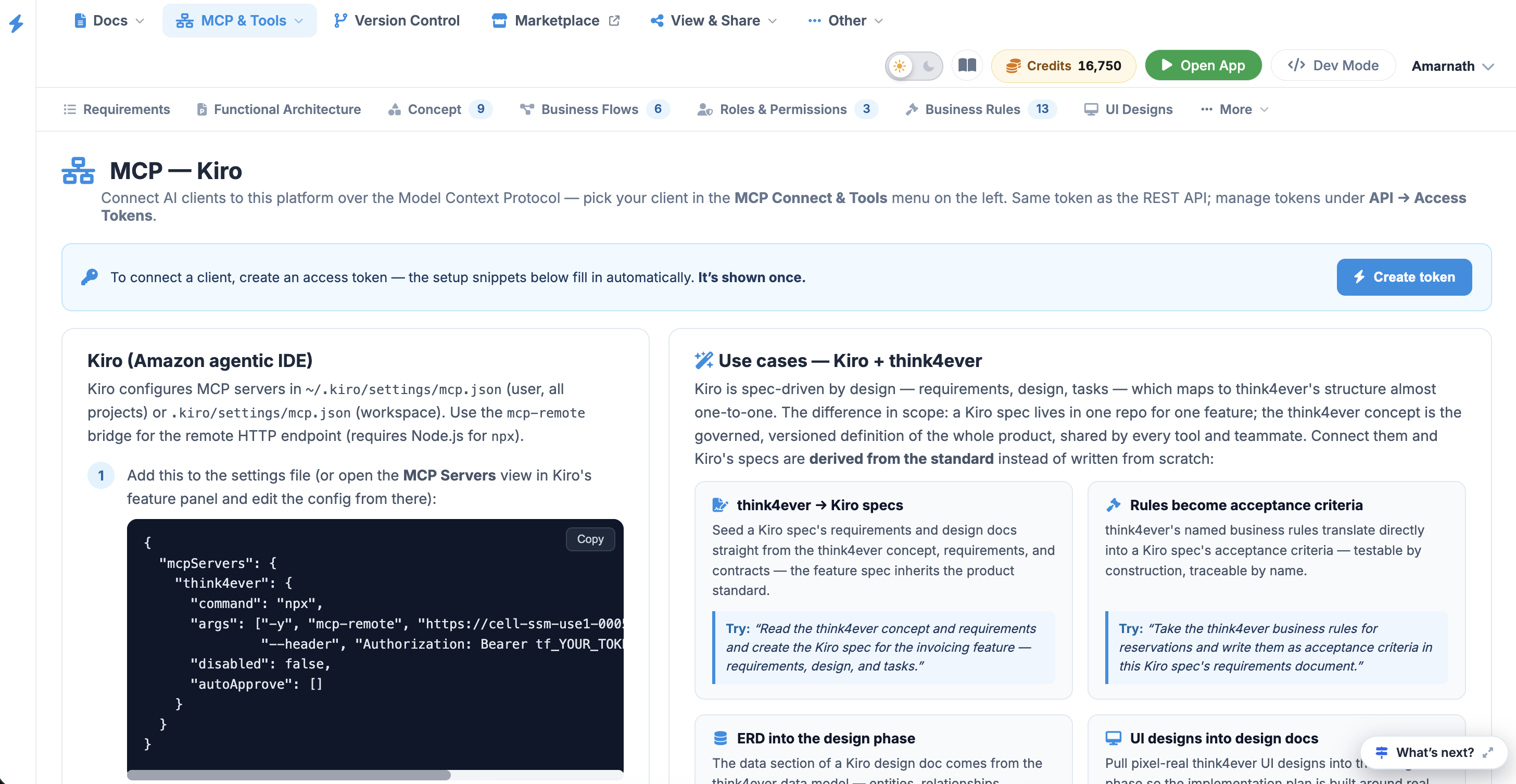 Click to enlarge
Prerequisites & Access Token Generation
Before configuring Kiro, you must generate a secure access token. This token serves as your REST API key and authenticates your MCP session.
- Navigate to the MCP — Kiro dashboard.
- Click the blue Create token button located in the upper-right corner of the instruction panel.
- Copy the generated token immediately.
The token configuration snippet fills in automatically upon creation and is only displayed once. Do not commit a real token inside a workspace configuration on a shared repository. Prefer using the user-level file in your home directory instead.
Configuration Setup#
Kiro configures MCP servers in ~/.kiro/settings/mcp.json (user, all projects)
or .kiro/settings/mcp.json (workspace). Use the mcp-remote bridge
for the remote HTTP endpoint (requires Node.js for npx ).
Step 1#
Add this to the settings file (or open the MCP Servers view in Kiro's feature panel and edit the config from there):
{
  "mcpServers": {
    "Think4Ever": {
      "command": "npx",
      "args": ["-y", "mcp-remote", "https://cell-ssm-use1-0005.us.portal.think4ever.com/mcp",
               "--header", "Authorization: Bearer tf_YOUR_TOKEN"],
      "disabled": false,
      "autoApprove": []
    }
  }
}
Add tool names to autoApprove (e.g.
"list_projects" , "get_concept" ) to let Kiro call them without
asking each time.
Step 2#
Kiro picks up config changes automatically (or reconnect from the MCP
Servers view); the Think4Ever tools become available in chat and
specs.
Step 3#
For standing behavior, add a steering file in .kiro/steering/ telling Kiro to
treat Think4Ever as the source of specs and work items.