
Events & Jobs
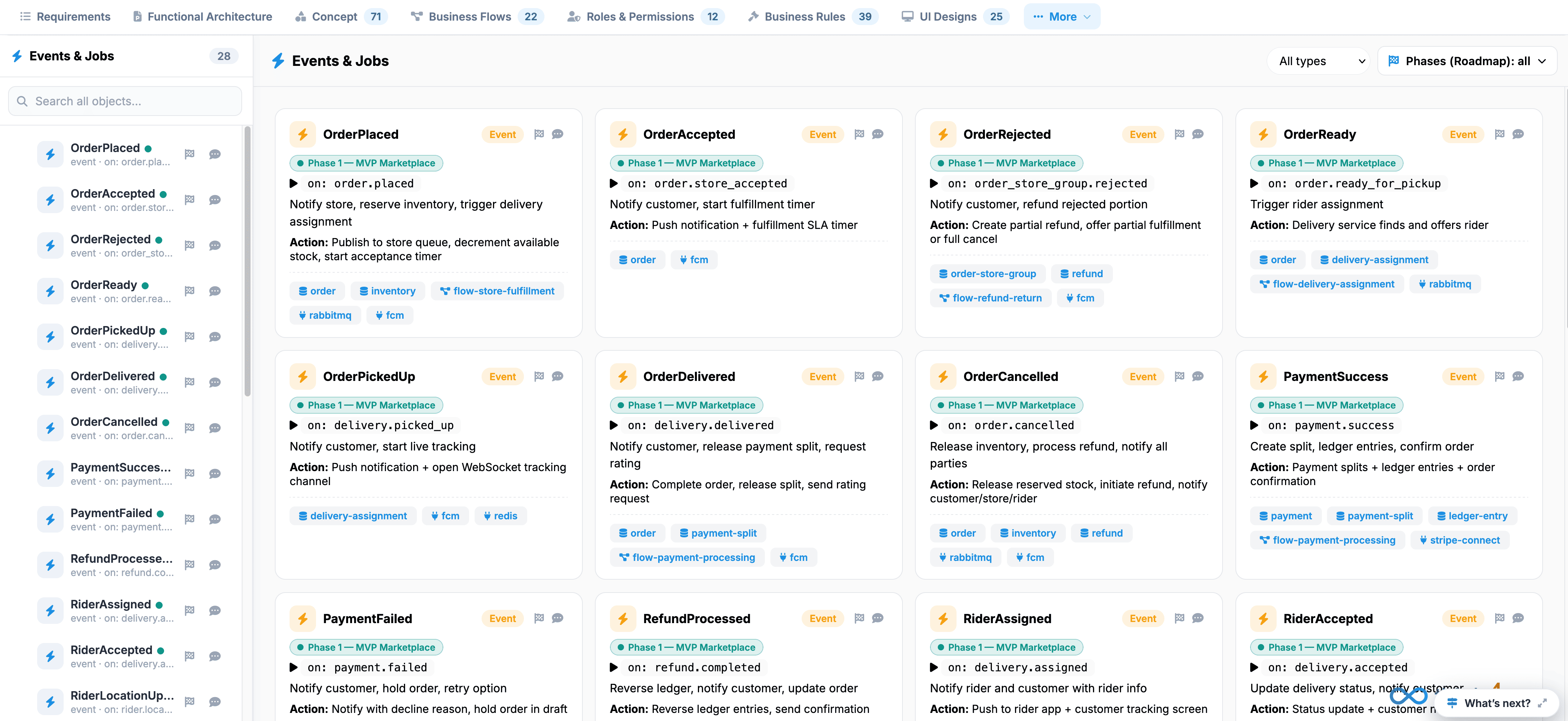
The Events & Jobs tab manages asynchronous system events, scheduled background tasks, message queue triggers, and event-driven automation handlers across the platform architecture.
 Click to enlarge
Key UI Components#
- Events & Jobs Sidebar: Lists all 28 registered event-driven triggers and background jobs (such as OrderPlaced, OrderAccepted, OrderRejected, OrderReady, OrderPickedUp, OrderDelivered, PaymentSuccess, and PaymentFailed) with search and quick-navigation controls.
- Event Cards Grid: Interactive tiles detailing each event specification:
- Event Header & Type: Displays event title, phase badge (e.g., Phase 1 - MVP Marketplace), and category tag (e.g., Event).
- Trigger & Actions: Outlines system triggers (e.g., on: order.placed), functional descriptions (e.g., Notify store, reserve inventory, trigger delivery assignment), and automated system actions.
- Mapping Tags: Connects events to underlying entities, business processes, and messaging providers (e.g., #order, #inventory, flow-store-fulfillment, #rabbitmq, #fcm, #redis).
- Canvas Toolbar: Top-right controls including event type filters (All types dropdown) and a Phases (Roadmap) selector.