
Import a .thinkp file
A .thinkp file is a project file format used to save and export existing projects within the Think4ever app. When you export a project from Think4ever, it packages your workspace nodes, diagrams, and project data into a .thinkp file, which can later be imported back into the app to restore or transfer your work.
This feature is particularly useful when transferring projects between environments, restoring previously exported work, or continuing development on an existing AI-assisted project.
How to Import a .thinkp File
Step 1
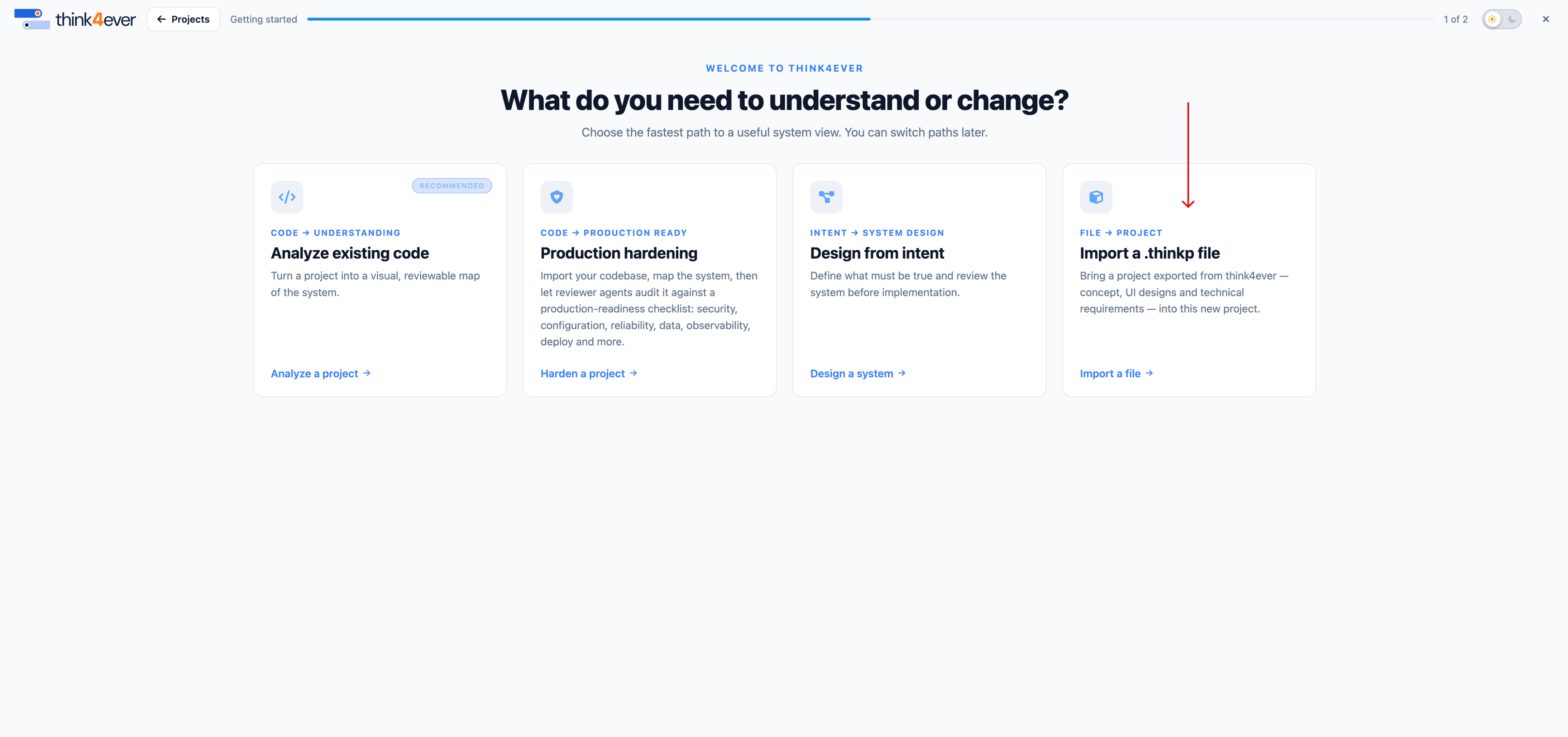
On the main landing page of Create a New Project (What do you need to understand or change?), locate the option labeled Import a .thinkp file (located on the far right). Click Import file to proceed to the file upload page.
 Click to enlarge
Step 2
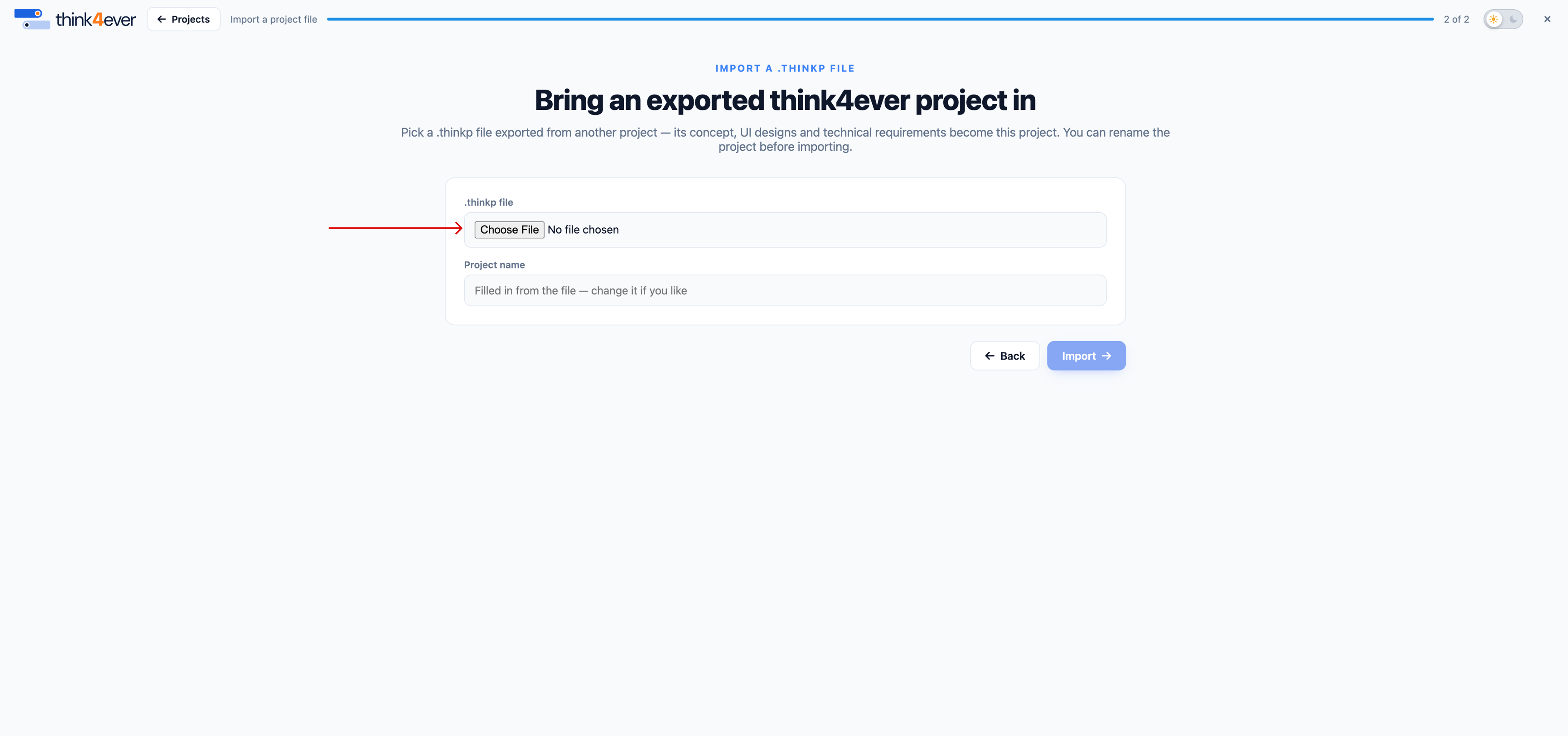
Choose the .thinkp file.
 Click to enlarge
Step 3
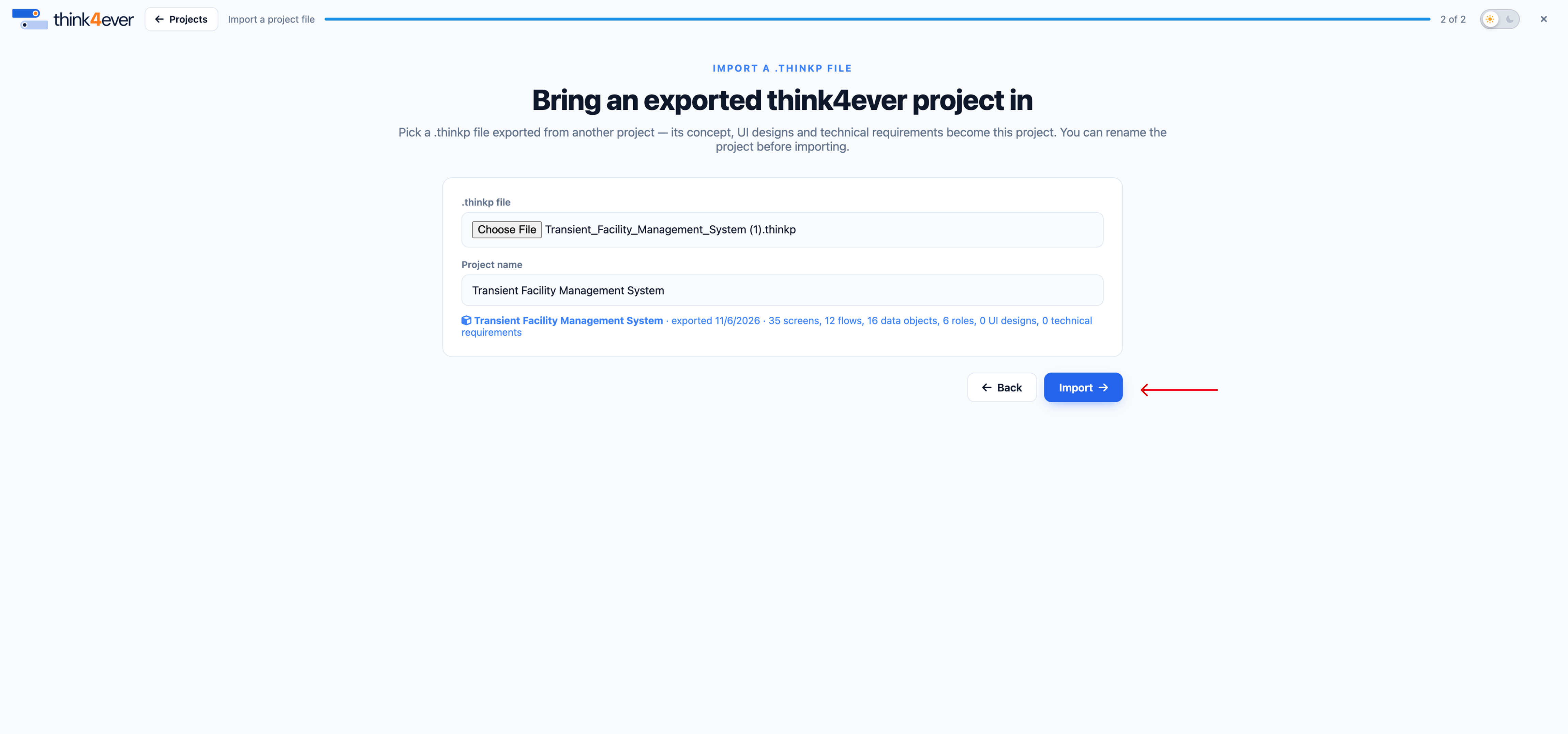
Once the file is uploaded, it automatically populates the filename into the Project Name field. You can also see the preview of how many screens are exported, how many flows, data objects, user roles and other details. Click on the Import button.
 Click to enlarge
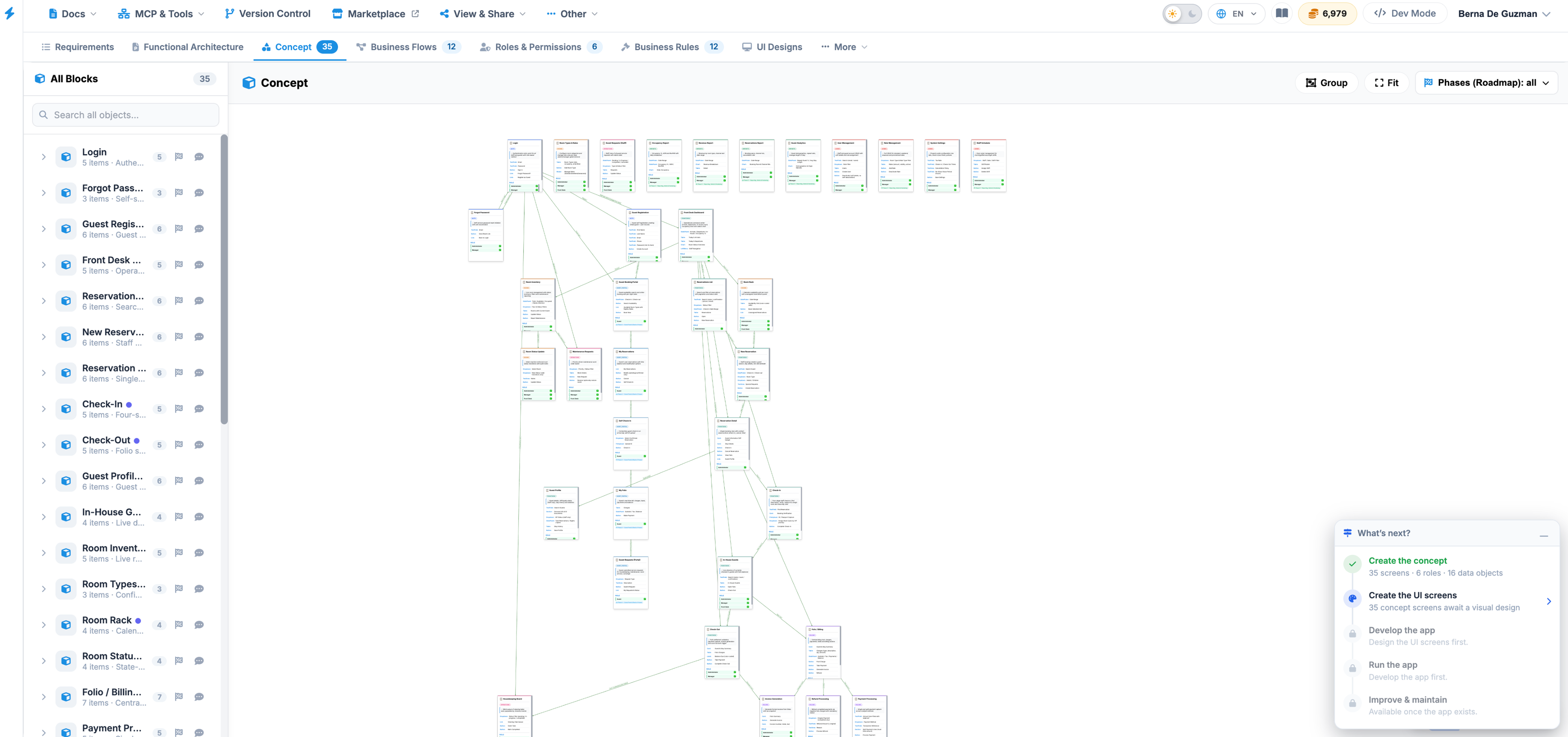
The import process begins, the the imported project will be launched in Design Mode.
 Click to enlarge
No credits are charged when importing a .thinkp file